
In this article we will be looking maintaining BAS codes and BAS reporting in Jiwa.
Overview
In Jiwa all transactions are assigned a BAS code at the line level, this includes not only Debtor and Creditor invoices but also General Ledger journals. This is because all BAS reporting is controlled through the General Ledger and not the sub ledgers.
When reviewing journal sets you will notice that each line is assigned a BAS code and it is this code that is used by the BAS function within Jiwa.
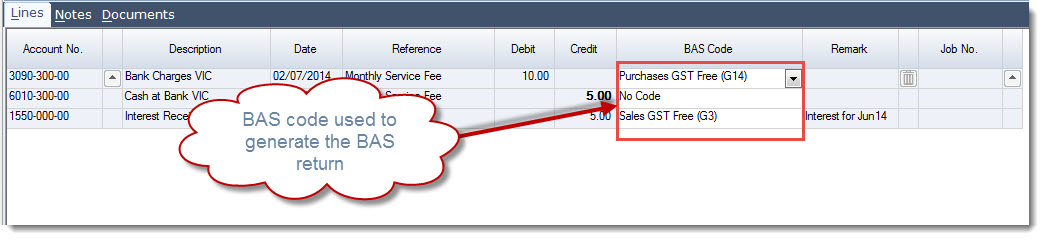
Journal sets are only created in the General Ledger when the originating transaction has been activated.
Lines assigned a BAS code of 'No Code' are not taken up in your BAS return and would typically represent lines that are not reportable.
NOTE
|
When entering transactions with mixed supply it is important that the line is split and the correct BAS code assigned to each line. The GST amount must never be overridden as your BAS return will not report correctly. The only exception to this rule relates to the processing of VOTI or GST invoices from your freight forwarder. If you have any further questions relating to mixed supply please contact your Jiwa consultant. |
Maintaining BAS Codes
When your database is first set-up your Jiwa implementing consultant would have checked to ensure that all default BAS codes have been set-up and are linked to the correct General Ledger accounts.
Creating additional BAS codes if required or maintaining existing codes can be completed through the Tax Configuration form.
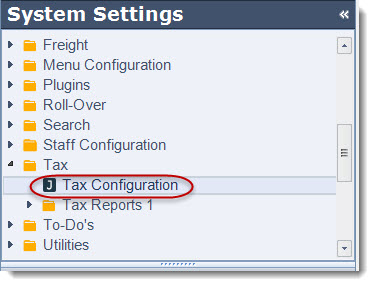
To begin select System Settings | Tax | Tax Configuration
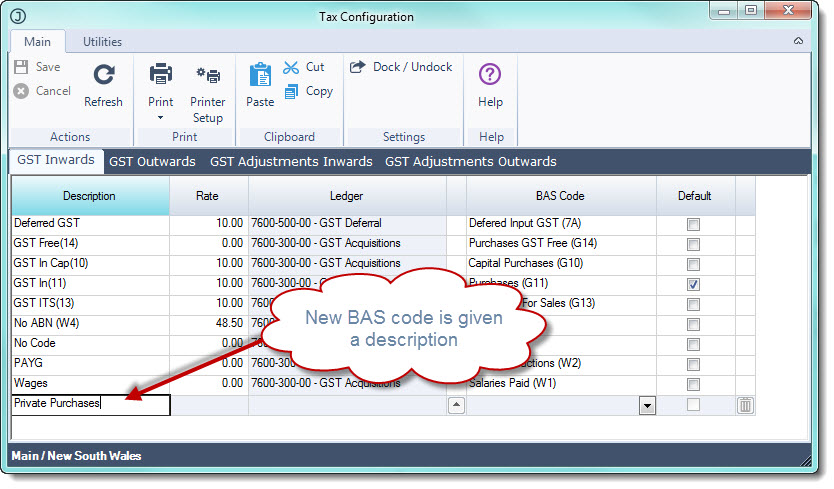
On the Tax Configuration form 4 tabs are displayed each representing different types of BAS codes
|
Tab |
Description |
|
GST Inwards |
These codes are used as part of the purchasing process and are applicable to the following transaction types;
|
|
GST Outwards |
These codes are used as part of the sales process and are applicable to the following transaction types;
|
|
GST Adjustments Inwards |
These codes are used when processing purchase adjustments and are applicable to the following transaction types;
|
|
GST Adjustments Outwards |
These codes are used when processing sale adjustments and are applicable to the following transaction types;
|
Before commencing determine what type of BAS code is required and move to the respective tab.
In the following example a new GST Inwards (or purchase code) will be created.
Move to the last available line and enter in a description for your new code.
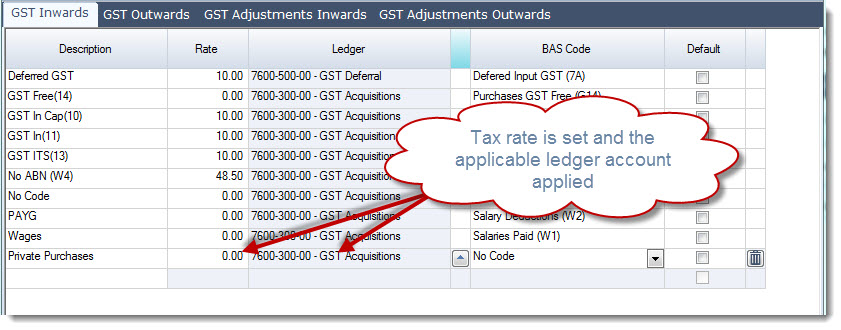
Enter the applicable tax rate in the Rate field and select the applicable General Ledger account
Typically this would be set to your GST Paid account however if you are not sure please check with your accountant
Now link your new code to the relevant BAS code.
BAS codes relate to those codes that you find on your 'GST calculation worksheet for BAS' as published by the ATO. Again if you are not sure please check with your Accountant
In the example below I have created a new code for private purchases so I have linked the new code to Purchases (Private) which appears in the G15 field on the GST calculation worksheet for BAS.
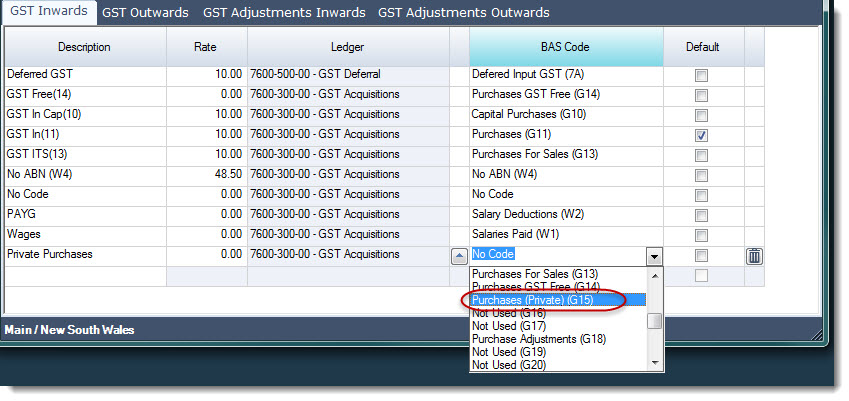
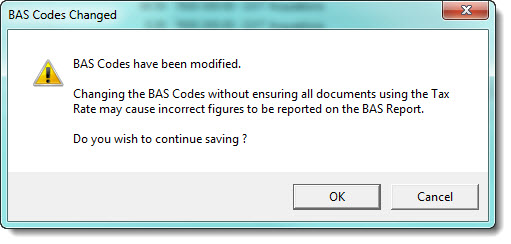
Once you have completed your changes select Save at this point the following message will appear select OK if you are confident that the change you have made will not impact any existing transactions.
BAS Reporting
Before finalising your BAS in Jiwa it is recommended that the reporting period is finalised and a 'Global Lock' has been enabled.
Reviewing BAS Worksheets
Before producing any BAS return it is highly recommended that a review of the BAS worksheets is undertaken to ensure that transactions have been assigned the correct BAS code. These reports also substantiate your BAS return.
The worksheet reports can be run during the course of the BAS period to check to ensure transactions are correct and corrections made as required, thus eliminating the necessity for a major review when your BAS is due.
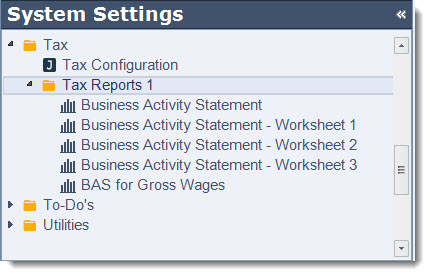
There are 3 different worksheets in Jiwa each reporting different transaction types
|
Report |
Description |
|
BAS - Worksheet 1 |
Displays all transaction relating to sales (supplies) and purchases (acquisitions) primary grouping by BAS code. Each transaction is split based on tax rate applied to each line and the GST amount applicable to the transaction is shown on a separate line. |
|
BAS - Worksheet 2 |
Displays all transactions relating to salaries and wages |
|
BAS - Worksheet 3 |
Displays a summary of transactions by General Ledger account, categorising the transactions in each account by BAS code. This report is useful in isolating problem transactions to specific account/(s). |
Business Activity Statement - Worksheet 1
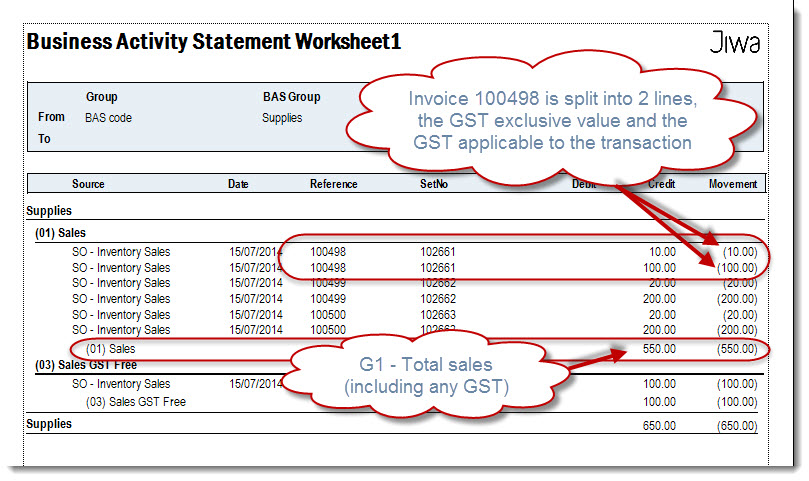
This report allows you to review your sale (supplies) and purchase (acquisition) transactions at the line level to ensure that the correct code has been applied when run in detail.
The report can return information in various ways depending on what ranges are set.
In the following example the report ranges are set as follows;
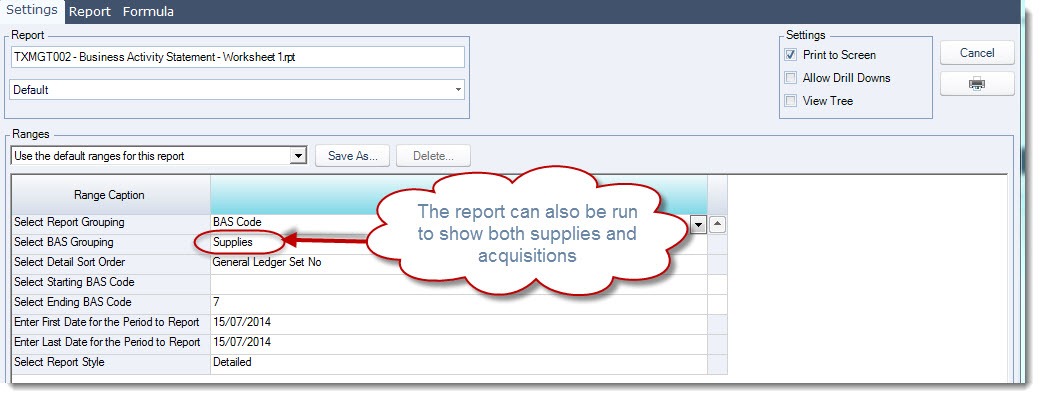
This report displays the GST exclusive value of the transaction and the GST component on a separate line.
The total for each BAS code feeds into your GST Calculation Worksheet for BAS from which your BAS return is populated.
Business Activity Statement - Worksheet 2
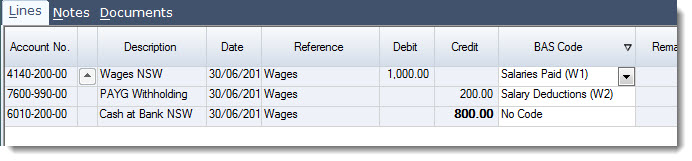
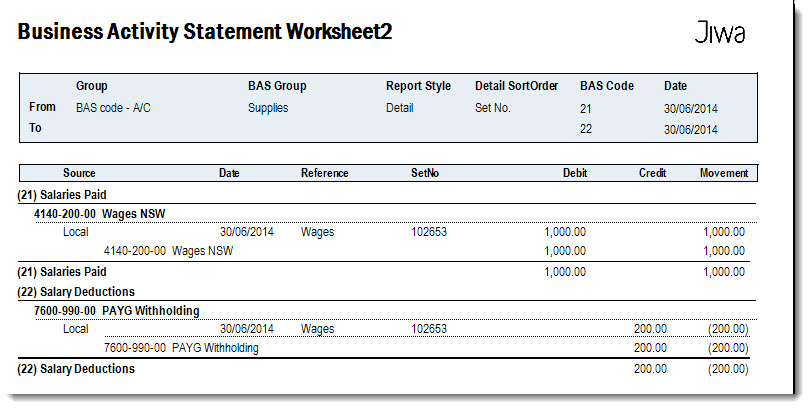
This report allows you to review your salary and wage transactions to ensure correct BAS codes have been applied.
This is only applicable when processing your payroll journal the relevant codes have been applied as per the example below.
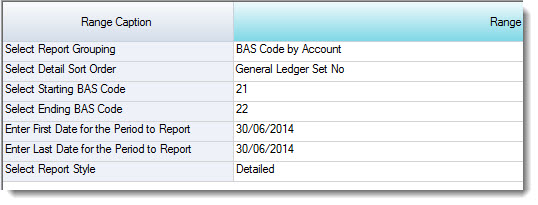
The report can return information in various ways depending on what ranges are set.
In the following example the report ranges are set as follows;
Producing your BAS Report
There are 2 types of BAS returns that can be produced in Jiwa, which to use is dependant up on how you record your salaries and wages in Jiwa.
|
BAS Report |
Description |
|
Business Activity Statement |
Used when NET wages are expensed to the Profit & Loss |
|
BAS For Gross Wages |
Used when GROSS wages are expensed to the Profit & Loss |