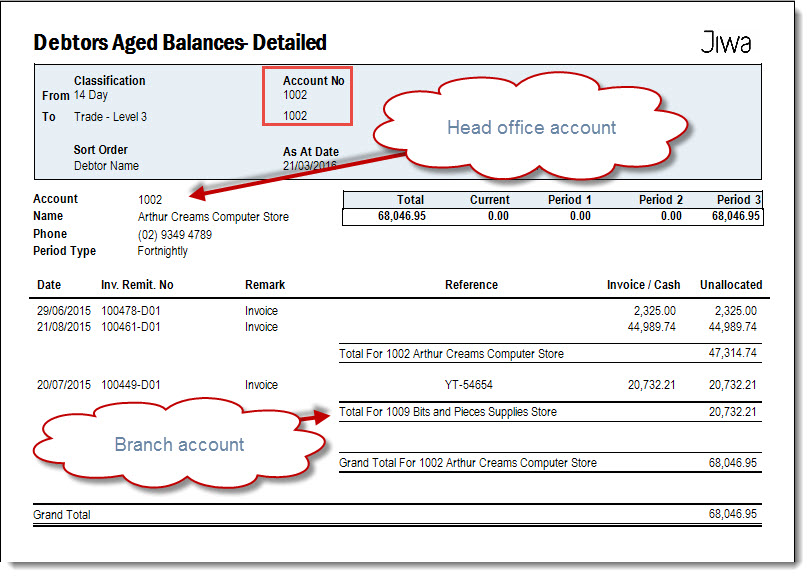
Debtor Aged Balance reports are used in Jiwa to review outstanding customer balances by ageing period. These reports help users understand which customer accounts have overdue amounts and support credit control, collections, and reconciliation processes.
This article explains the different Debtor ageing reports available in Jiwa, also referred to as Balance As At reports, and how they can be used to review customer balances at a selected point in time.
Debtors Balance As At
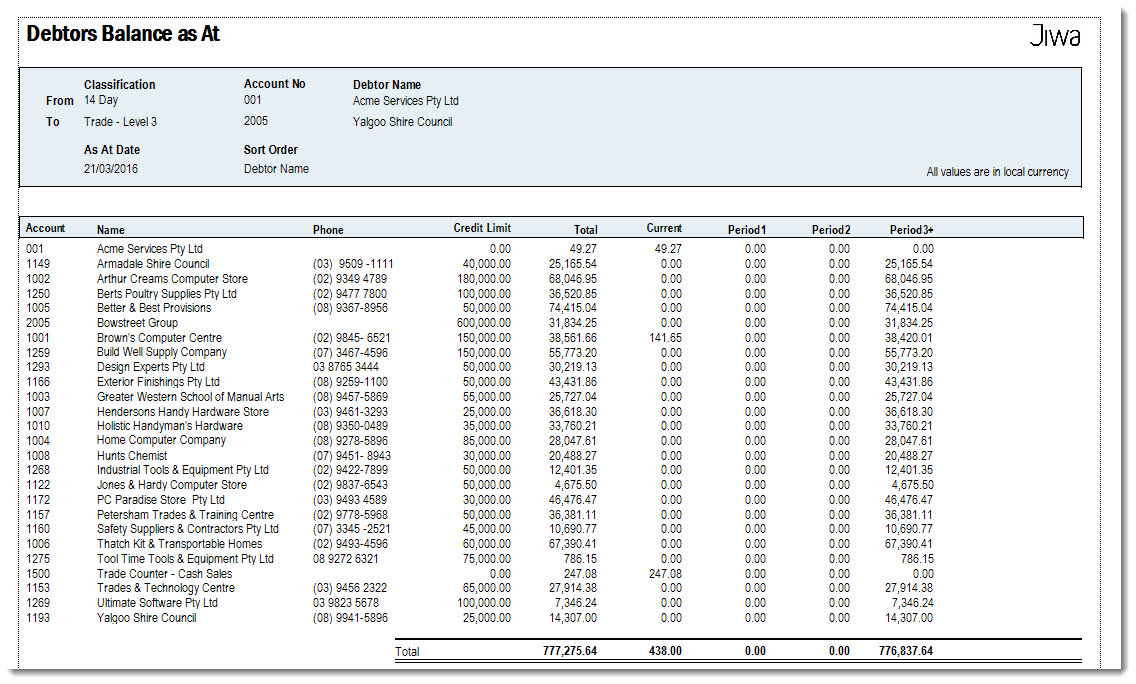
The Debtors Balance As At report is a summary aged balance report that can be run retrospectively.
Where there are Head Office / Branch Debtor accounts only the Head Office account is displayed on the report.
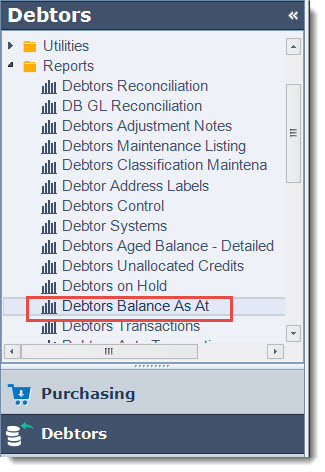
Select Debtors | Reports | Debtors Balance As At
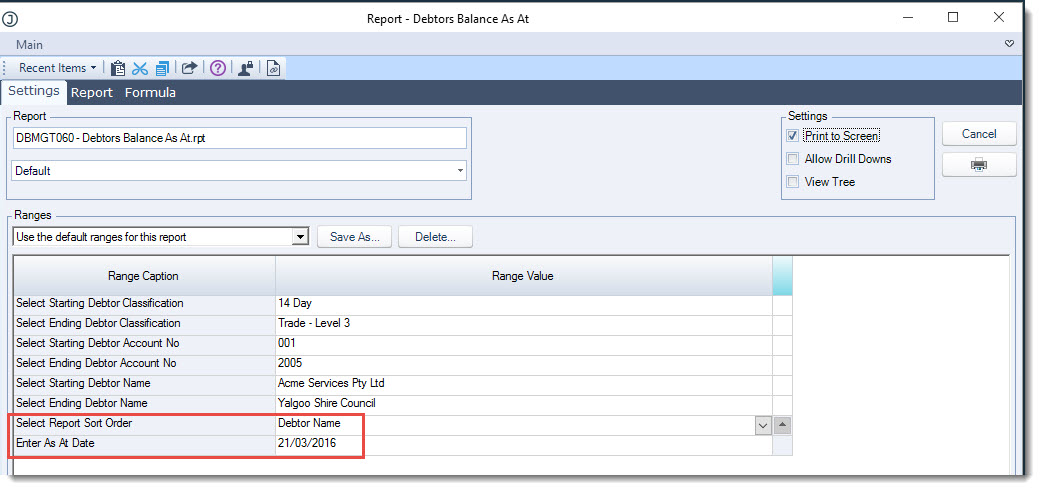
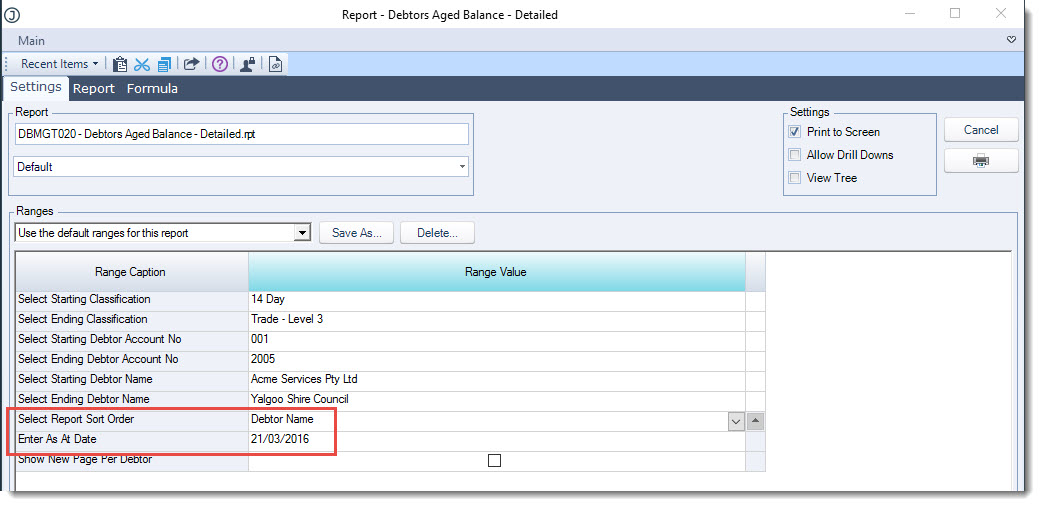
Using the report range options set the
-
Sort order, and
-
Confirm the As At Date the report is to be run for
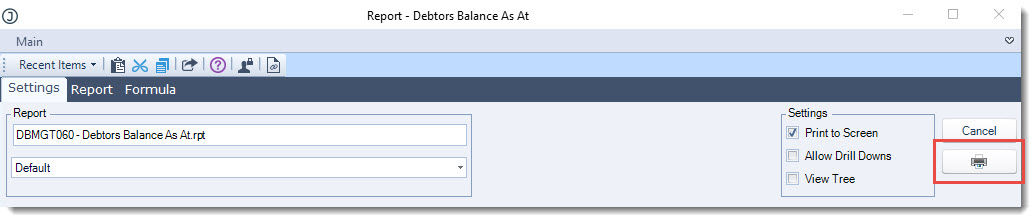
When you have set your parameters click on the printer icon
Debtors Aged Balance - Detailed
The Debtors Aged Balance - Detailed report is a detailed aged balance report that can also be run retrospectively.
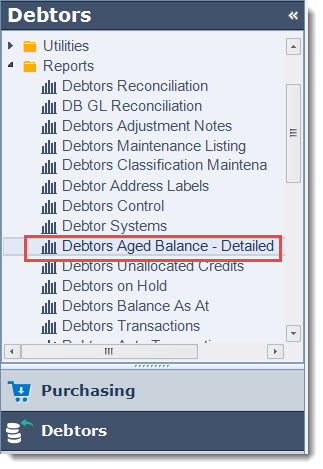
Select Debtors | Reports | Debtors Aged Balance - Detailed
Set your report ranges and then select Print
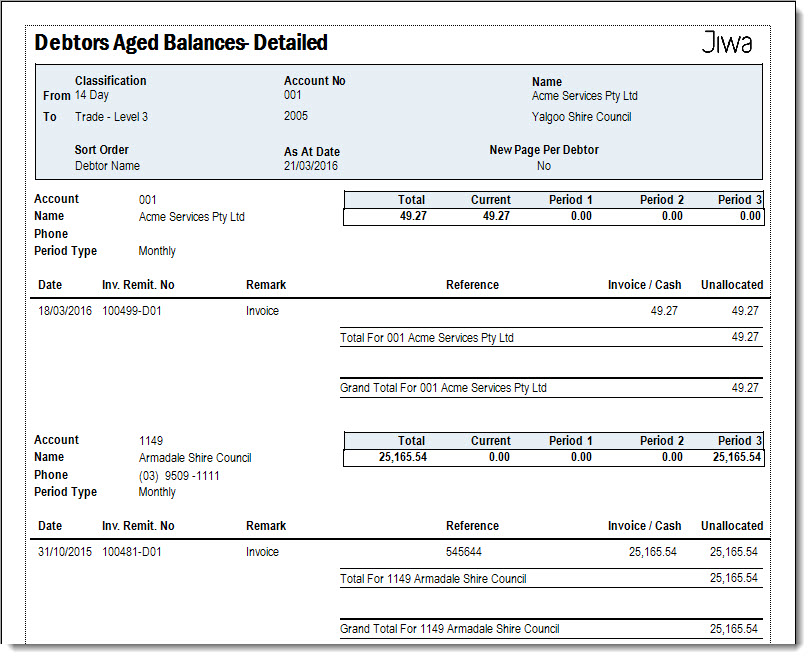
Where you have Head Office / Branch Debtor accounts set-up, the total outstanding for each branch account is displayed as well as the total outstanding for the Head Office account as in the example below.