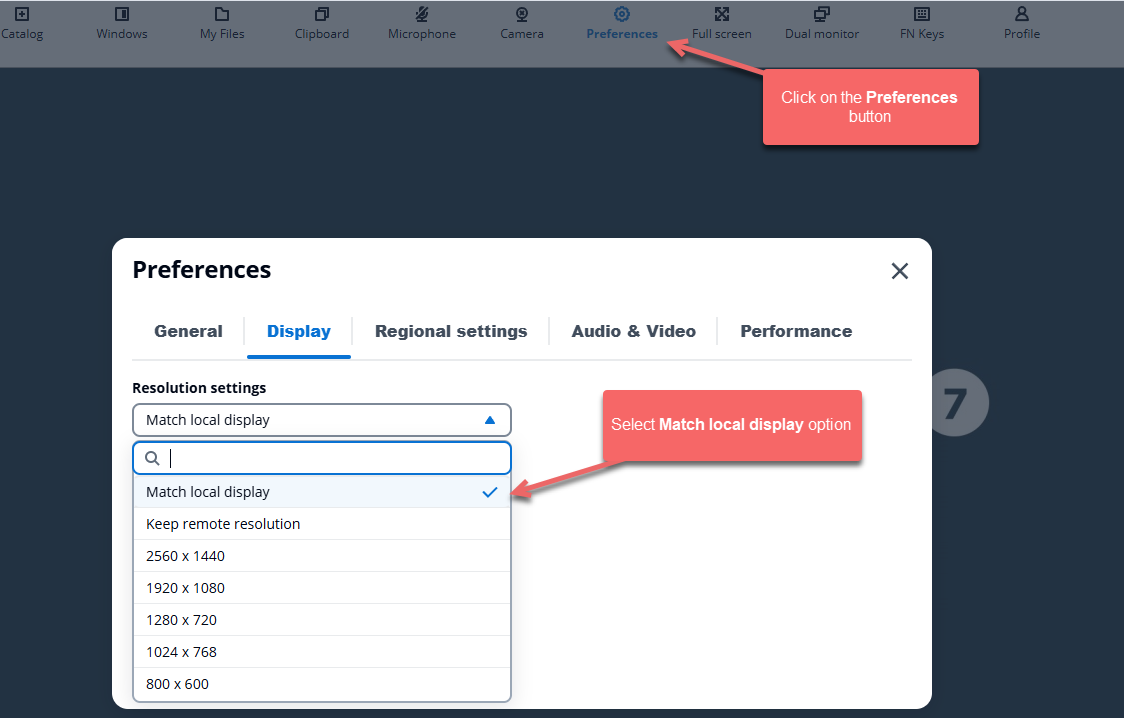
To ensure that Jiwa displays correctly on your monitor you can set the display resolution settings to mat your local display.
Press the Preferences button on the AppStream session.
Then select the Display tab.
Under Resolution settings select the option Match local display
Your display will automatically resize.
Close the Preferences popup.