The Activity Tracker is a custom module that has been developed by Opal Logic for Jiwa Financials.
Activities can be created in Jiwa to track income and expenses against specific tasks, activities, groups or even simple jobs.
The Activity Tracker has been designed to enable Jiwa users to monitor specific income and expenses without the need for a full Job Costing system.
Choosing between the Activity Tracker and Job Costing will be dependant upon your specific requirements relating to tracking and managing jobs.
The table below provides an overview of the key differences between the Activity Tracker and the standard Jiwa Job Costing module.
Function
|
Activity Tracker
|
Job Costing
|
|
Fully integrated with Jiwa Financials |
✓ |
✓ |
|
Unlimited Jobs / Activities |
✓ |
✓ |
|
Ability to change code assigned to a transaction once activated |
✓ |
|
|
Profitability reporting |
✓ |
✓ |
|
P&L style reporting |
✓ |
|
|
Track costs by cost centre / stage |
|
✓ |
|
Templates |
|
✓ |
|
Time and Materials Billing |
|
✓ |
|
Progress Billing |
|
✓ |
|
Produce Finished Goods |
|
✓ |
|
Track Work in Progress |
|
✓ |
|
Manage jobs over a number of years |
✓ |
✓ |
|
Parent / child relationships |
✓ |
|
This article provides an overview of the new module, refer to our other articles for full details on Activity Tracker.
If you have any questions or a specific requirement that is currently not met by this module, please give us a call on 1300 456 725 to discuss your needs.
Activity Maintenance Form
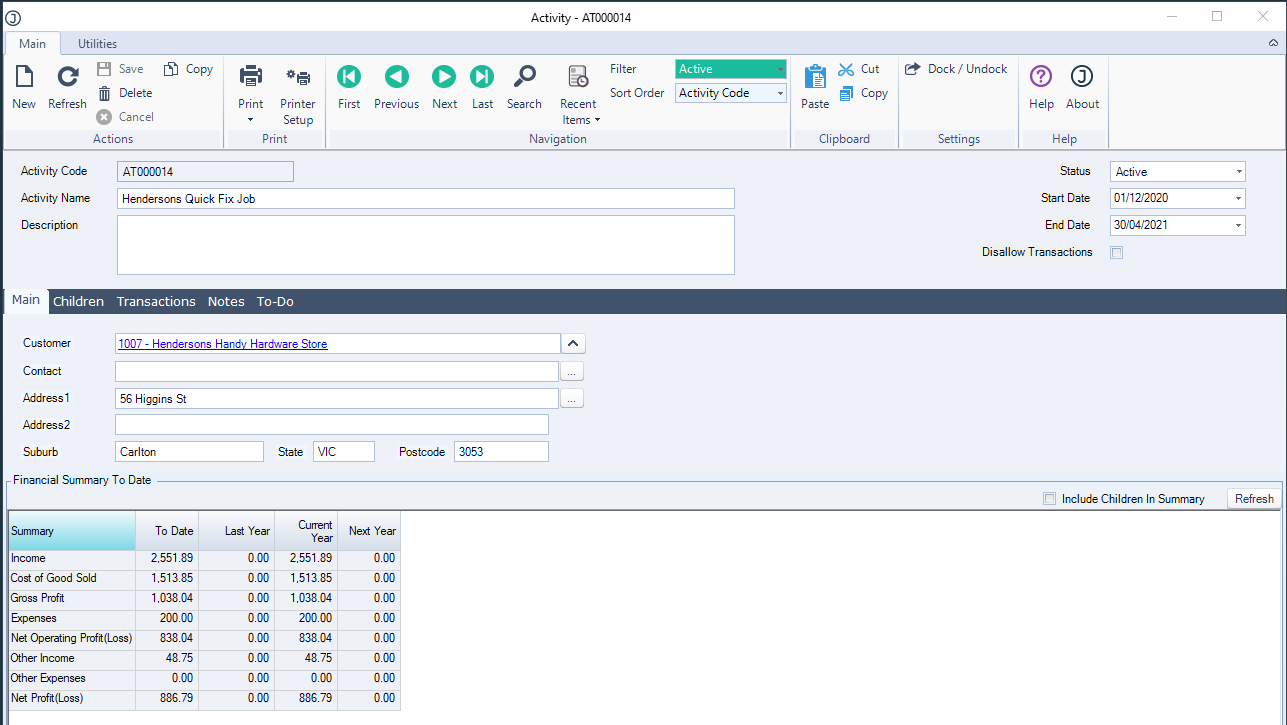
The Activity Maintenance form is where activities are created and managed. These activities can then be assigned to transactions.
The Main tab provides a financial overview of the activity to-date.
The Children tab is used to create parent/child relationships between activities.
The Transactions tab provides an overview of all transactions that are linked to the selected Activity.
As with many other forms in Jiwa users have the ability to add Notes and To-Dos against the activity.
Transactions
Activity codes are captured at the transaction line level however can be set at the header level for ease of data entry.
GL Codes are also captured at the line level which allows users to produce an Activity Profit & Loss Report.
Activity and GL codes can be changed at the line level even after the transaction has been been activated.

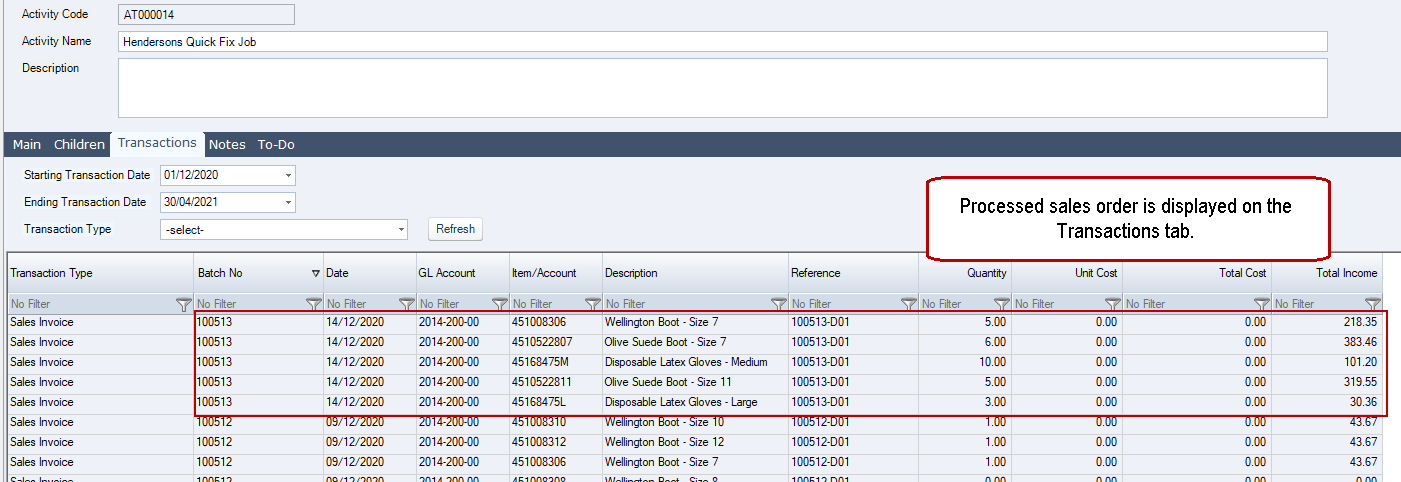
Once a transaction is activated it can be viewed from the activity by going to the Transactions tab.
Reporting
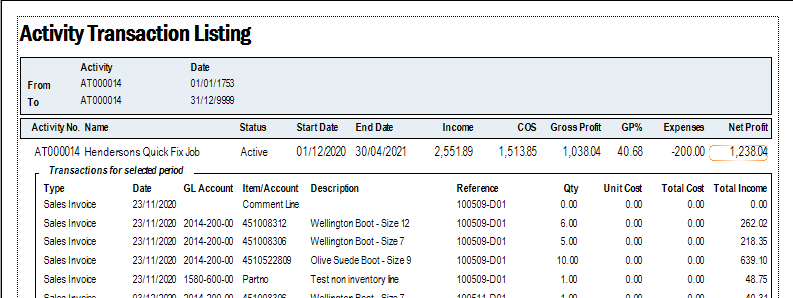
An Activity Transaction Listing and Profit & Loss report can be printed from the Activity Maintenance form as well as the Activity Tracker | Reports menu.