Non BAS Transactions on the Cashbook
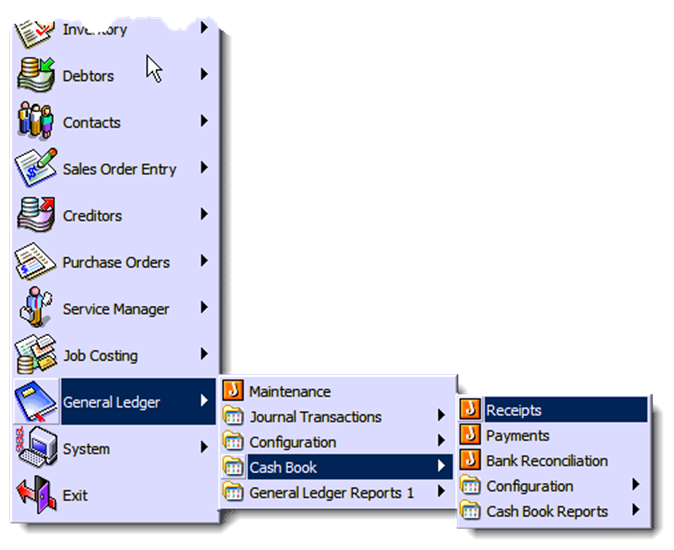
Sometimes you will be using the cash book to enter in transactions which are not really related to a GST code. These include Bank Transfers and Personal loans into the company. Depending on the set up of your system, you may be forced to enter in a GST code which is not really appropriate
. 
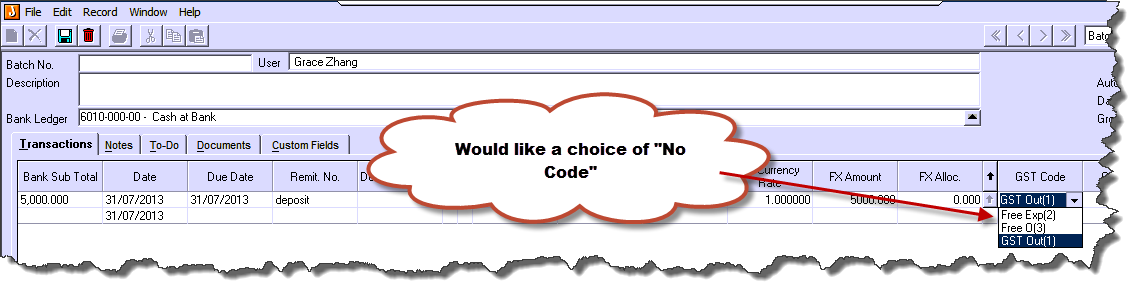
What can You do to fix this?
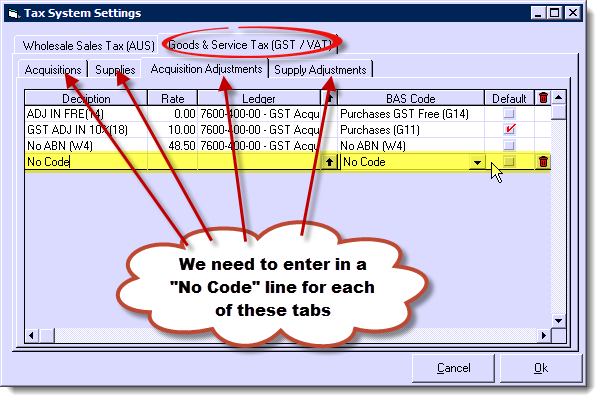
You need to create some 'No Code' tax codes in System > Tax Maintenance, and then use those codes in Cash Book. Below a brief description how to create a 'No Code' tax code:
-
Go to System > Tax Maintenance
-
Select the 'Acquisitions Tab'
-
Enter a description (eg. No Code Acqu.) into the 'Description field'
-
Enter 0 into the 'Rate' field
-
Select the respective GL Account (GL Account MUST be selected)
-
Select 'No Code' from the 'BAS Code' drop down field
-
Repeat these steps for the remaining 3 tabs (Supplies, Acquisition Adjustments and Supply Adjustments)
-
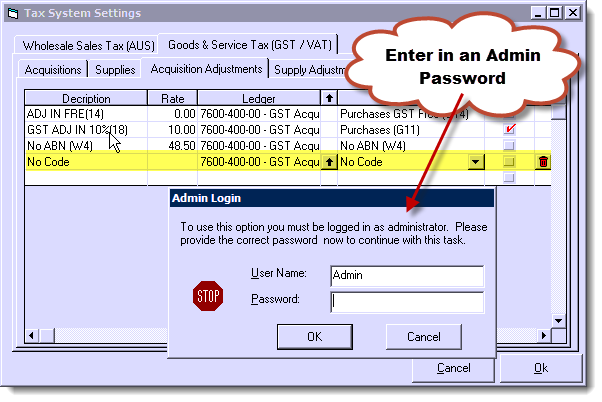
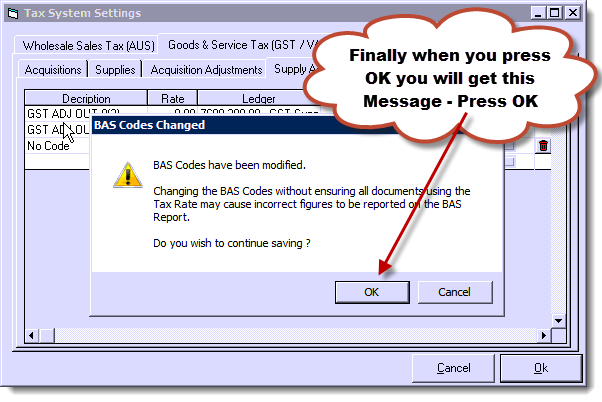
Click 'Ok'
-
On the 'BAS Codes Changed' popup screen click 'Ok' again