Reversing a Value of Taxable Import Amount that has Already been Invoiced
If you are in Purchase Orders - Shipments and have discovered that a VOTI amount you already entered and invoice is incorrect you will need to reverse it and re-enter in the correct amount.
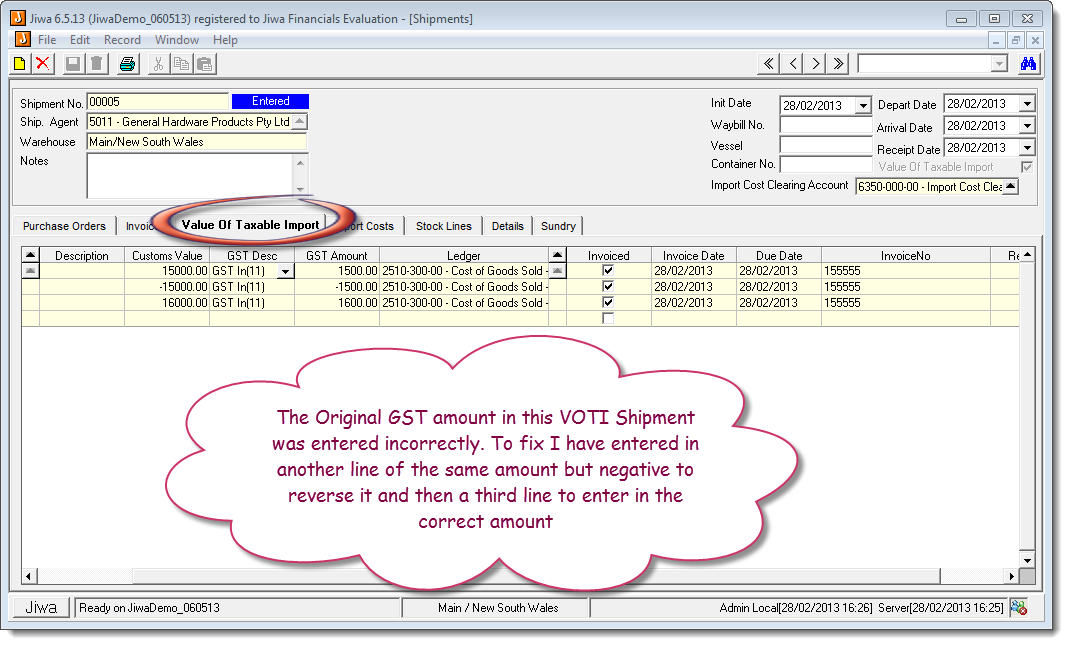
To fix the issue you need to enter in another line of the same amount but negative. This will have the effect of generating a credit note against the supplier.
We then need to enter in a third line, this time with the correct amount
Here is a video showing you the steps:
This video is best seen on the full screen. Just click on the icon at the bottom right of the video (see image below).
To exit full screen just press escape