
Jiwa Sales Orders - WET Tax Using Composite Rate
Source title: Jiwa Sales Orders - WET Tax Using Composite Rate
Status: draft
Author: nina@austlink.net
Original link: https://jiwatraining.com.au/?page_id=2090
THIS IS AN INTERNAL ARTICLE ONLY AND WILL NOT BE PUBLISHED UNTIL SUCH TIME AS THE REQUIRED PLUGINS AND CUSTOM REPORTS HAVE BEEN DEVELOPED. This article at present only covers Wholesale Sales using a composite rate, however it is now superseded by the WET Plugin refer to the relevant articles on the WET plugin. Refer to the following ATO site that explains WET and how it is calculated ATO/Business/Wine-equalisation-tax/
Wholesale Sales
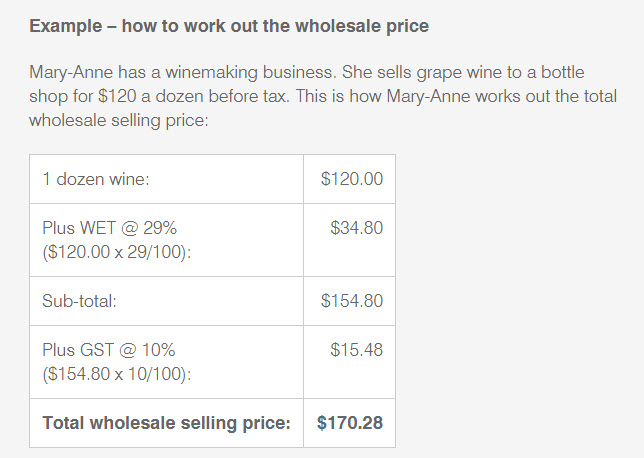
In Jiwa the Wholesale Sales WET tax is a composite tax made up of both WET and GST, this is because GST is charged on the price including WET. The composite rate has been calculated using the ATO's example of how total taxes are calculated on Wholesale sales.
Setting Up General Leger Accounts
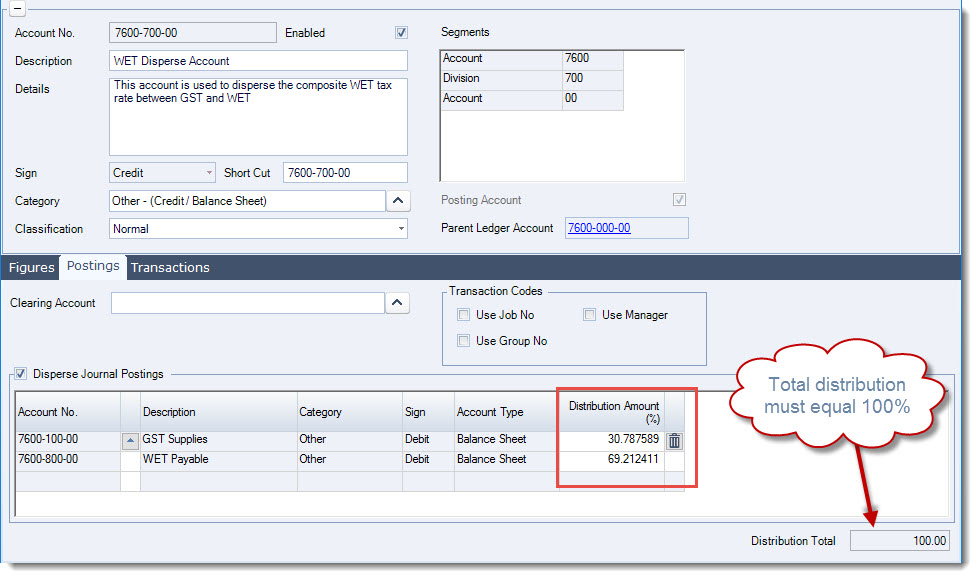
Before we can setup the new Tax code the following new GL accounts should be setup in the Balance Sheet
-
WET Disperse Account - This account is used collect the composite tax amount and then disperse the value between GST Collected and WET Collected
-
WET Payable Account - This is the WET liability account that will only hold the WET on sales component
On the WET Disperse Account you need to setup a Disperse Journal Posting that will split the tax paid between GST and WET, the percentage split works out to be; GST 30.787589% WET 69.212411%
Setting Up Tax Codes
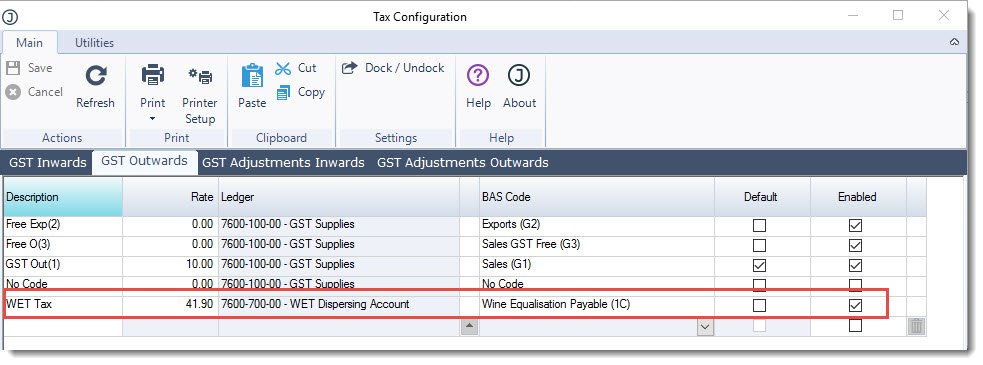
Setup your WET composite tax code making sure that it is linked to the correct GL account and BAS Code. The new WET code should be setup under GST Outwards and GST Adjustments Outwards
Setting up Inventory Items
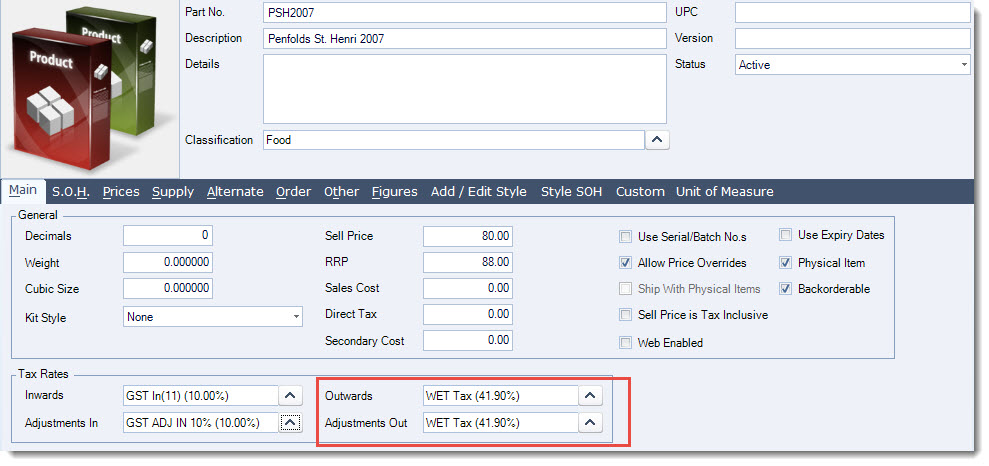
When setting up your inventory items that have WET ensure that you link the item to the WET tax codes. It is recommended that a classification is setup which will automatically assign the correct tax codes.
Sales
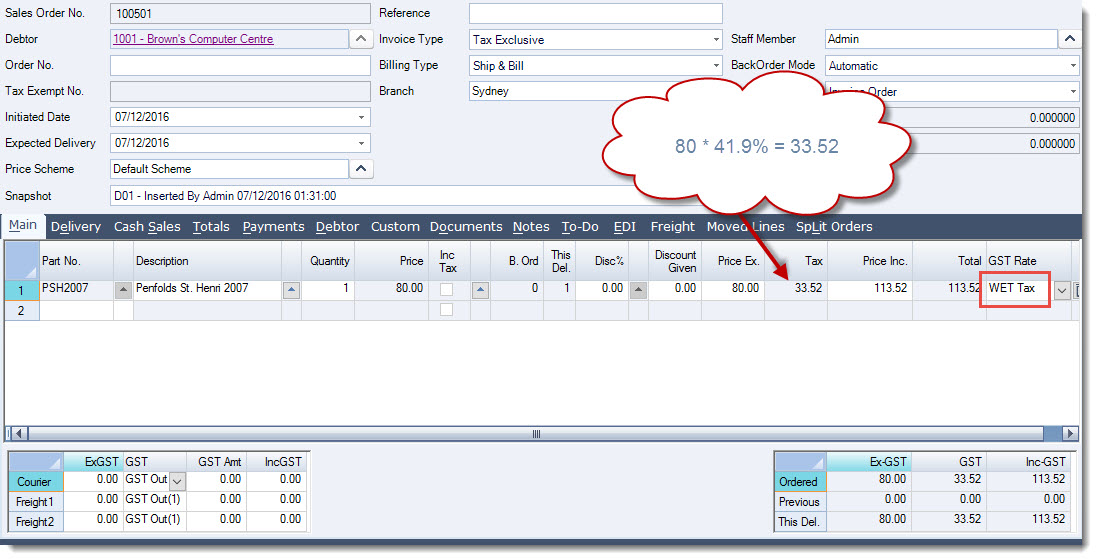
When a sales order is raised the composite rate is applied.
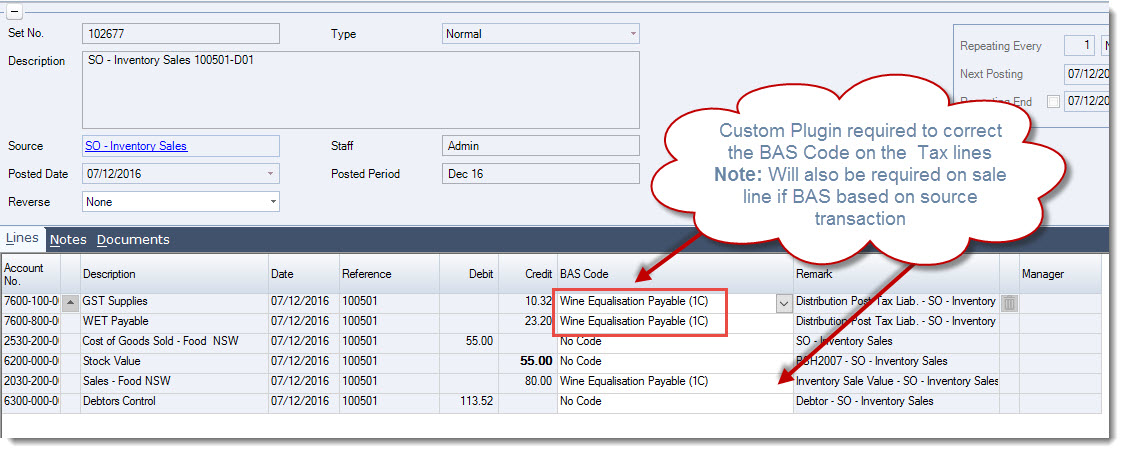
When the sale is processed the composite tax value is split between the GST and WET accounts in the journal set created. A custom plugin is required to correct the BAS Codes linked to the tax lines. Note: If BAS worksheets are redeveloped to look at source transactions rather than the journal set then will need to review how the gross sale is reported on the BAS.
Reporting
The following custom reports will be required;
-
WET Display Invoice: Customers requiring WET to be reported on invoices as opposed to those that do not,
-
BAS Worksheets potentiall as WET currently only appears on BAS Worksheet 2 which is typically for payroll,
-
BAS Return