
Jiwa Manufacturing - Wastage & Write-offs
Source title: Jiwa Manufacturing - Wastage & Write-offs
Status: draft
Author: nina@austlink.net
Original link: https://jiwatraining.com.au/?page_id=1891
ISSUE IN V7.00.157 RETEST IN NEXT RELEASE.
JOURNALS ARE INCORRECT AND CHANGING QUANTITY TOTAL COLUMN ON COMPONENTS DOES NOT UPDATE COST AND ERRORS ON CLOSE.
In this article we look at how to account for wastage and write off output items through work orders in Jiwa 7.
Wastage
How wastage is accounted for during the manufacturing process will be dependant upon your business requirements. In Jiwa you have the option of accounting for wastage in the following ways.
-
Building wastage into the cost of the finished product, or
-
Write-off wastage
We recommend that you discuss these options with your Accountant.
Building Wastage into Production Cost
When the work order status is changed to Started the Quantity Taken field is automatically populated based on the production quantity.
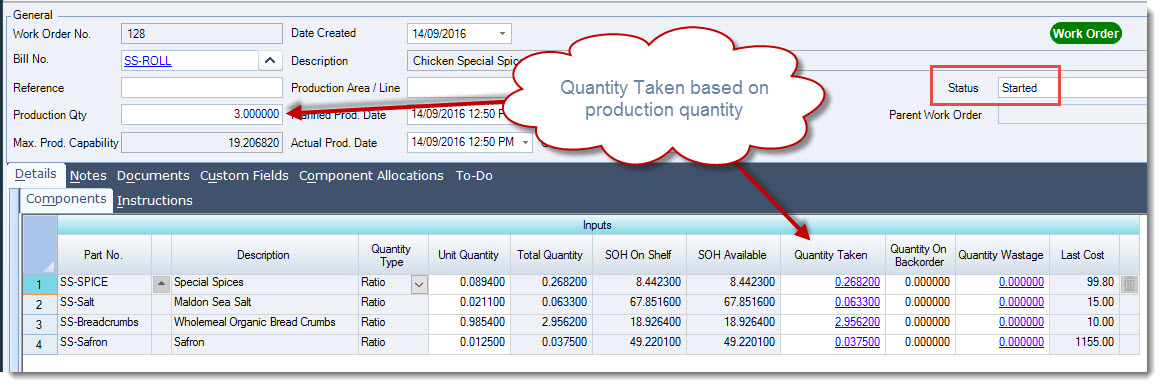
The field is also enabled which means that users can override the total quantity consumed of a component during the production process. Wastage can been added to the Quantity Taken which will increase the total cost of the output item. In the example below the current total input and output cost is $100.59
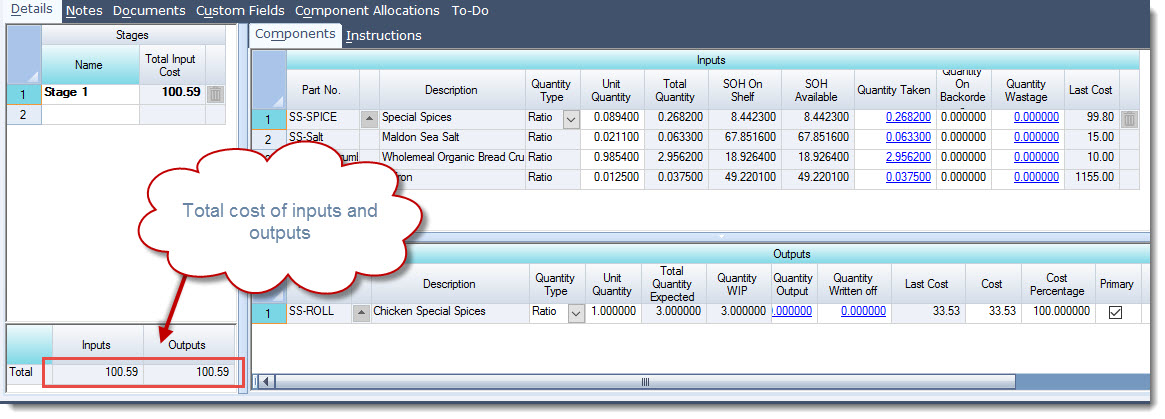
When the Quantity Taken on a component is changed the total input and output costs will also increase, showing the the wastage cost is being incorporated into the total cost of the output item. In the example below the SS-Saffron quantity taken has been changed from 0.0375 to 0.0412 <WAITING ON JIWA FOR RESPONSE TO IDENTIFIED ISSUE>
Writing off Wastage
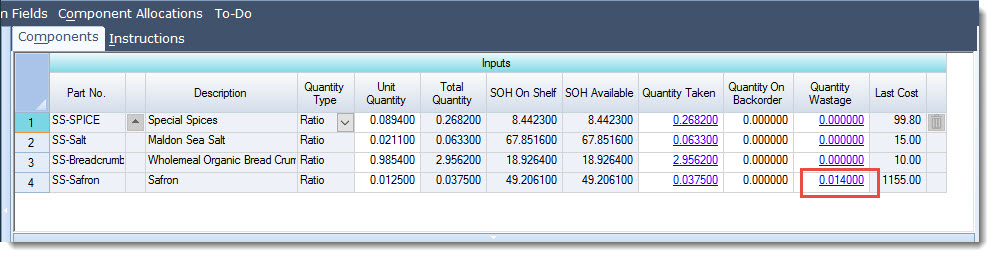
Wastage can be recorded on a work order by updating the Quantity Wastage field. When Wastage is taken up this way cost of the wastage is not absorbed into the finished product but rather it is written off directly to the P&L. When updating your work order add the wastage quantity into the Quantity Wastage field
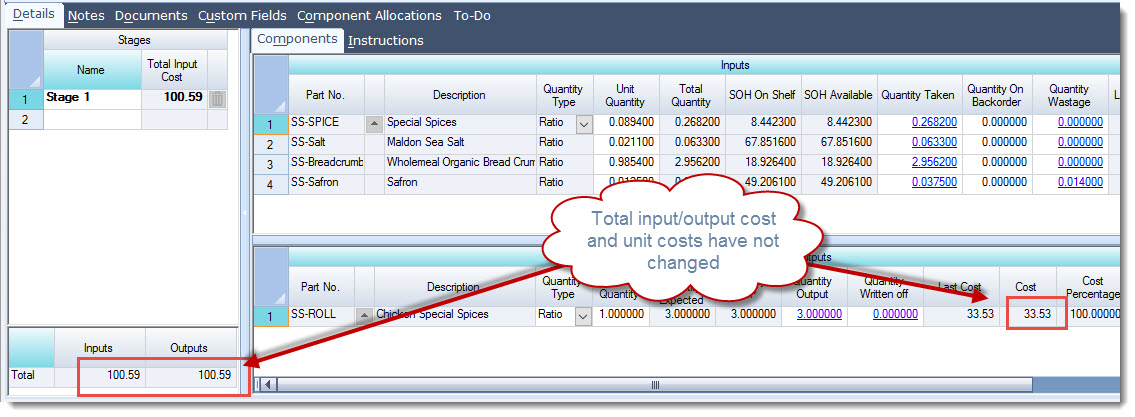
You will notice that the total input and output cost on the work order has not changed, this is because the stock is being written off.
When the work order is saved or closed the stock ledger is updated