
Jiwa Landed Costing - Shipment Under Supply (Credit Note Issued)
Source title: Jiwa Landed Costing - Shipment Under Supply (Credit Note Issued)
Status: draft
Author: markian
Published: Thu, 12 May 2016 06:51:22 +0000
Original link: https://jiwatraining.com.au/?page_id=1350
In this article we look at different methods that can be used to manage an under supply on a shipment in Jiwa where the creditor has invoiced you for the full quantity ordered but the short supply will not be delivered. An understanding of the Jiwa shipment process is recommended before proceeding with this article.
Supplier Return
There are two (2) ways in which the supplier returns process can be used when requesting a credit from your supplier for under supplies, both methods are covered in this article.
-
Return of Goods
-
Tracking Short Delivery
Return of Goods (RG)
When the shipment is booked in, the full order quantities are booked in. Once the stock ledger is updated a Supplier Return Shipping document is created for the under supplied quantity. When the document is activated this will put the stock into the In Transit location. The stock will be moved from this location when the credit not is received from the Creditor and the Return Credit is activated. This process will record against the Creditor's account the full invoice value as per the physical invoice and the credit note received.
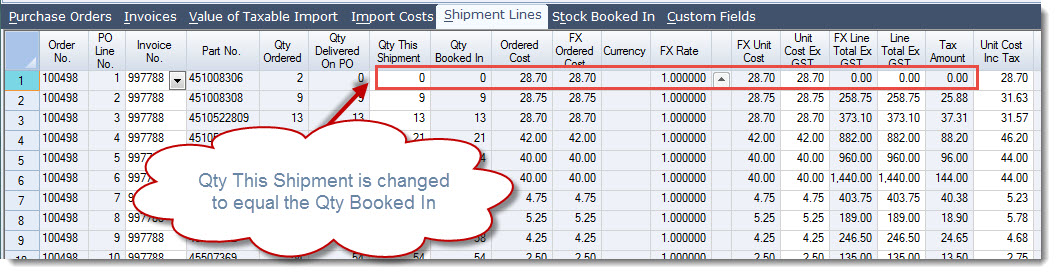
[MM_Member_Decision isMember='true'] Tracking Short Delivery (SDT) This method only brings into the Inventory ledger the actual stock received and the Supplier Return Shipping document with the SDT return code is used to track the request for credit from the supplier only, the return will not update the Inventory Ledger. To begin only book in the stock that has been received. On the Shipment in the Shipment Lines tab update the Qty This Shipment field to the actual quantity received as per your book in.
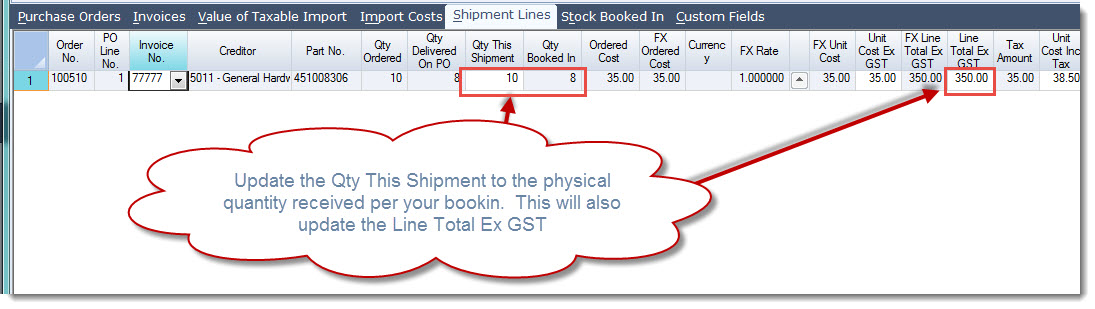
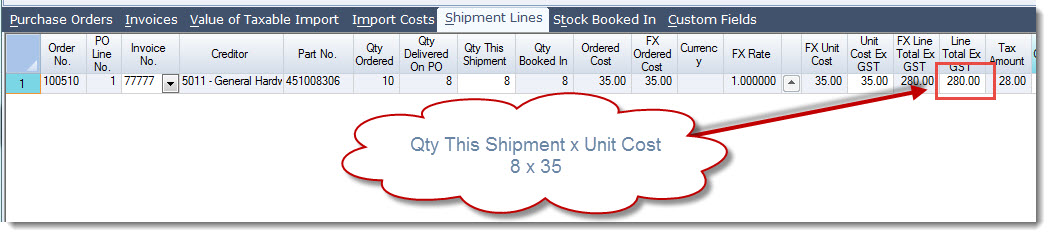
You will notice that this will also change the Unit Cost Inc Tax field on the shipment line.
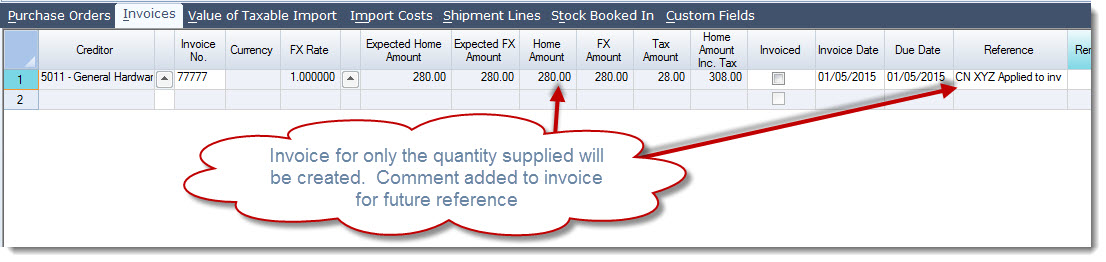
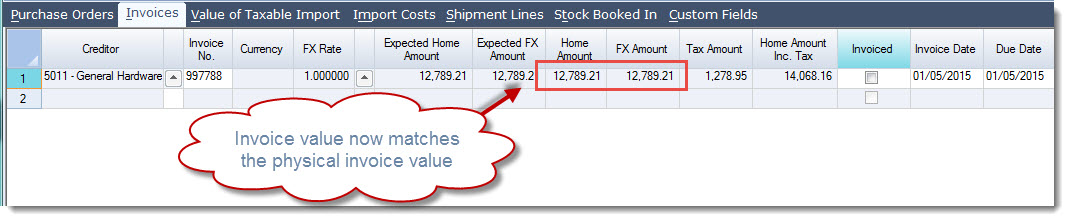
On the Invoices tab the Creditor invoice has also been updated. A reference can be added noting that the credit for the short supply has been applied to the invoice.
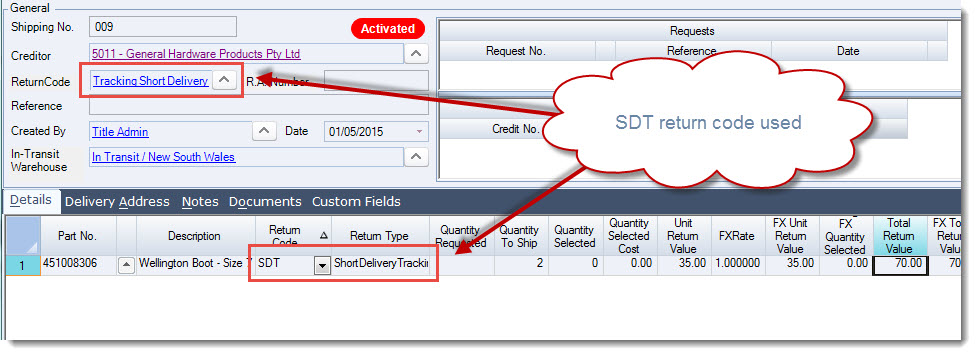
Supplier Return Shipping document created using the SDT return code. The supplier return is used to ensure that the Creditor issues a credit note for the short supply. The Inventory and Creditors ledgers will not be updated when the return credit is activated.
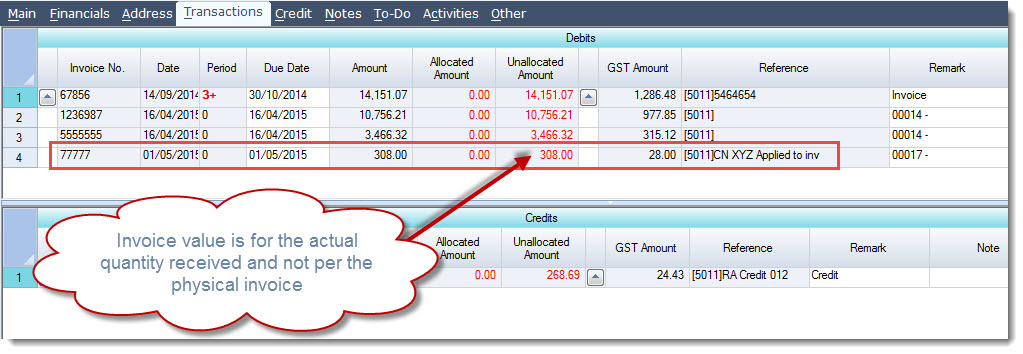
When the shipment is invoiced the Creditors account will be updated with an invoice to the total value of actual stock received.
Non Ordered Item for the Short Supply Value
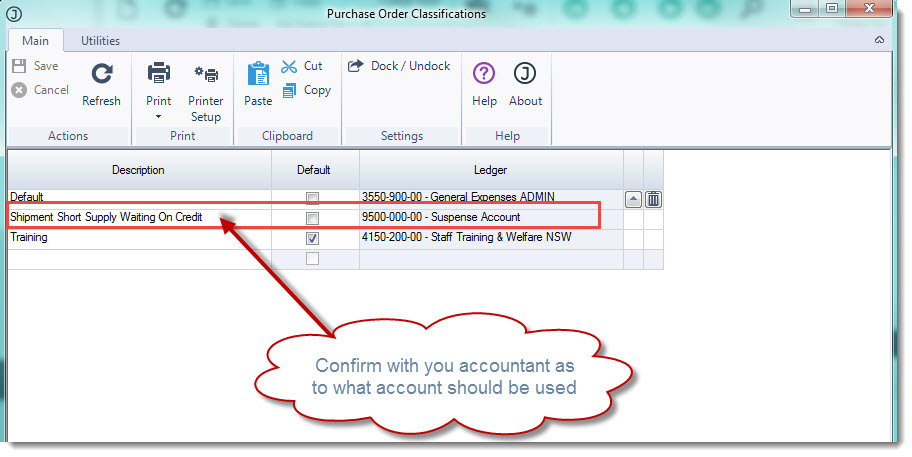
This method is used where you do not want to book in stock that you have not received however you want to record the Creditors full invoice value and the credit note when it is received. Purchase Order Classification Before using this process you need to ensure that you have created a Purchase Order Classification. This classification will be applied to the Non Ordered item that will be added to the shipment. The purchasing classification will also control which clearing account will be used when the invoice is created. From the Purchasing module select Configuration | Classifications and create a new classification.
Shipment Only book in the actual stock received against the shipment. On the Shipment in the Shipment Lines tab update the Qty This Shipment field to the actual quantity received as per your book in. This will reduce the line total as well as the total invoice value on the Invoices tab.
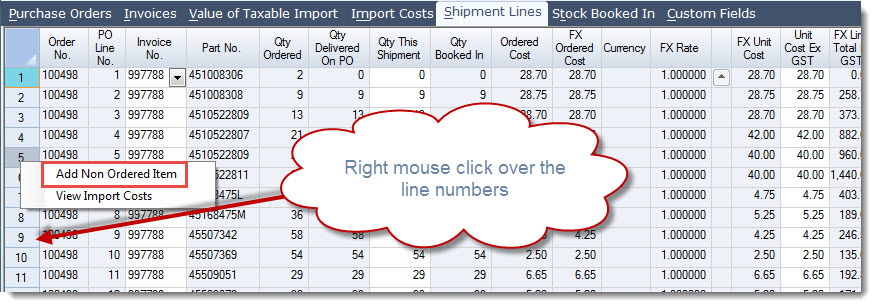
Add a Non Ordered Item to your shipment lines by moving your mouse over the line numbers and right click.
Select Non-Inventory Item and enter in the details and set the following fields as a miniumu;
-
Description,
-
Purchasing Classification,
-
Creditor,
-
Supplier cost this is the value of the short supply excluding GST
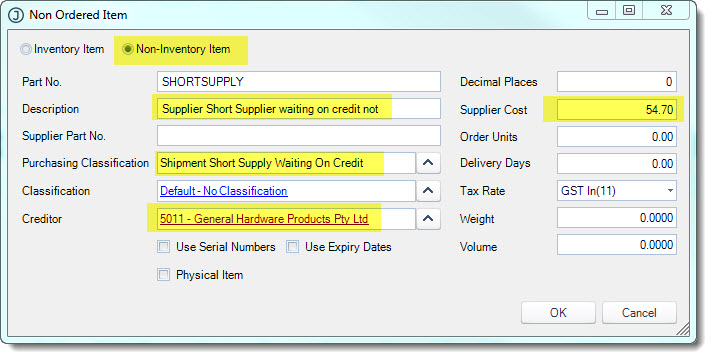
Select OK when you have added in the required details Set the Qty This Shipment to 1
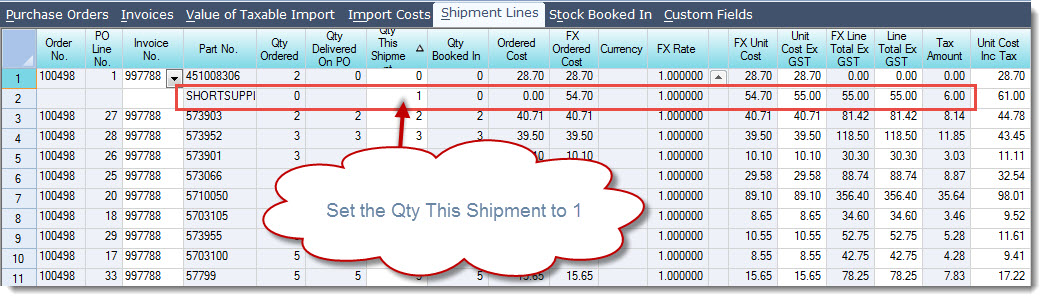
Link the short supply line to your Creditor invoice, this will update the Invoices tab. Book in the non ordered item and invoice the shipment when ready.
Supplier Credit Note
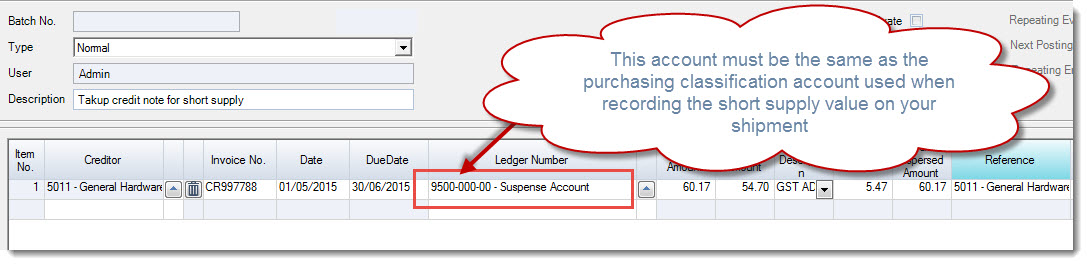
When the supplier credit note is received for the short supply a Creditor Credit Adjustment is created to record the credit note. The Ledger Number must be set to the same account as your shipment short supply purchasing classification.
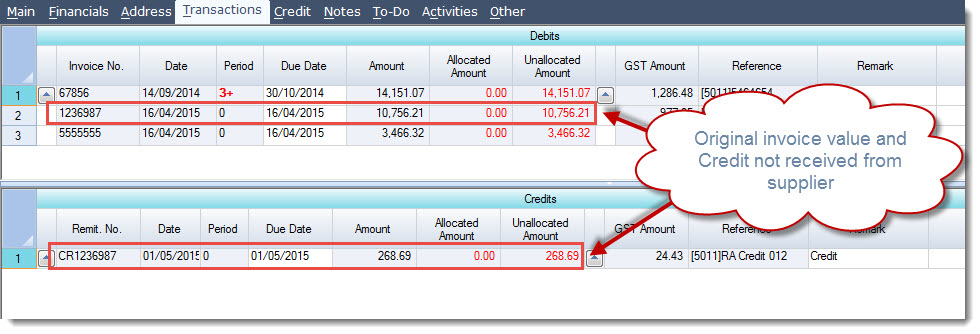
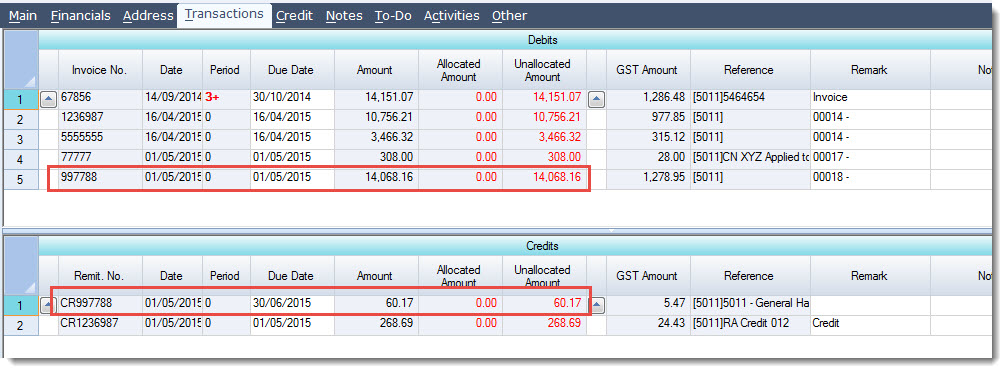
Your creditors account will show both the invoice and credit note
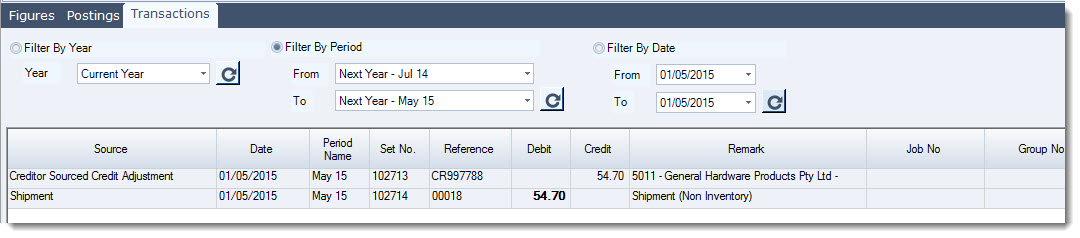
The clearing account used for the shipment short supply is cleared out.
[/MM_Member_Decision] [MM_Member_Decision isMember='false'] [/MM_Member_Decision]