
This article will take you through the process of setting up gift vouchers in Jiwa
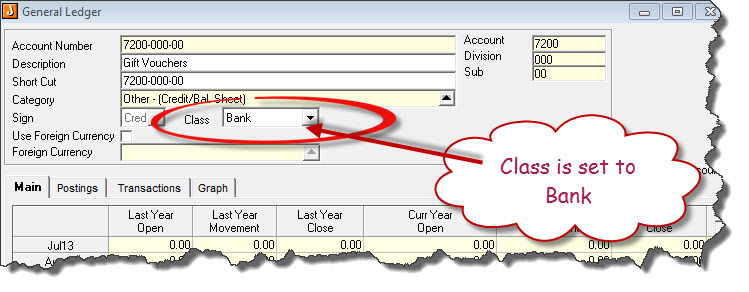
Create Gift Voucher Clearing Account
The clearing account will be used to track the sale and redemption of your gift vouchers.
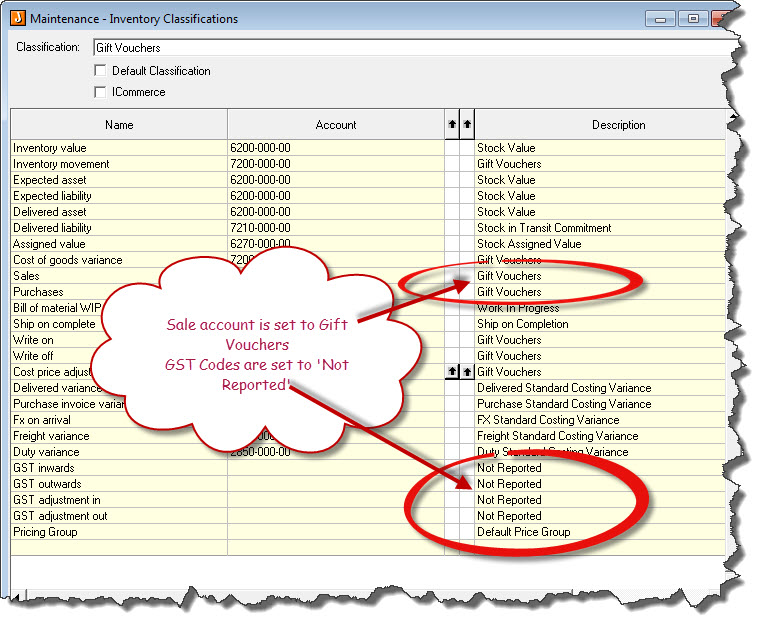
Create Gift Voucher Classification
Set-up your gift voucher classification
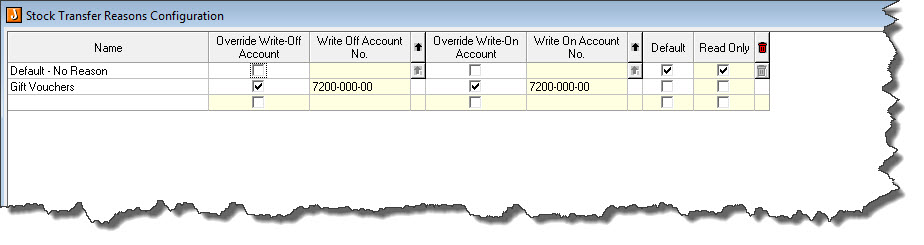
Create Stock Transfer Reason Type - Gift Vouchers
As stock transfers will be used to bring in your vouchers you will need to set-up a reason code linked tot he Gift Voucher clearing account. As the vouchers will have not cost price associated with them the movement in the GL will be zero.
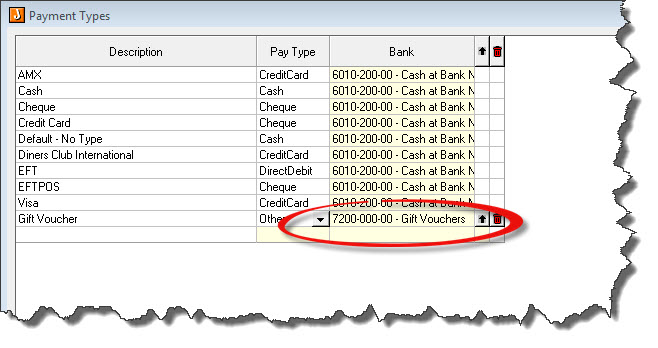
Create Gift Voucher Payment Type
Create a payment type called Gift Vouchers linked to the Gift Vouchers clearing account
Create Gift Voucher Inventory Items
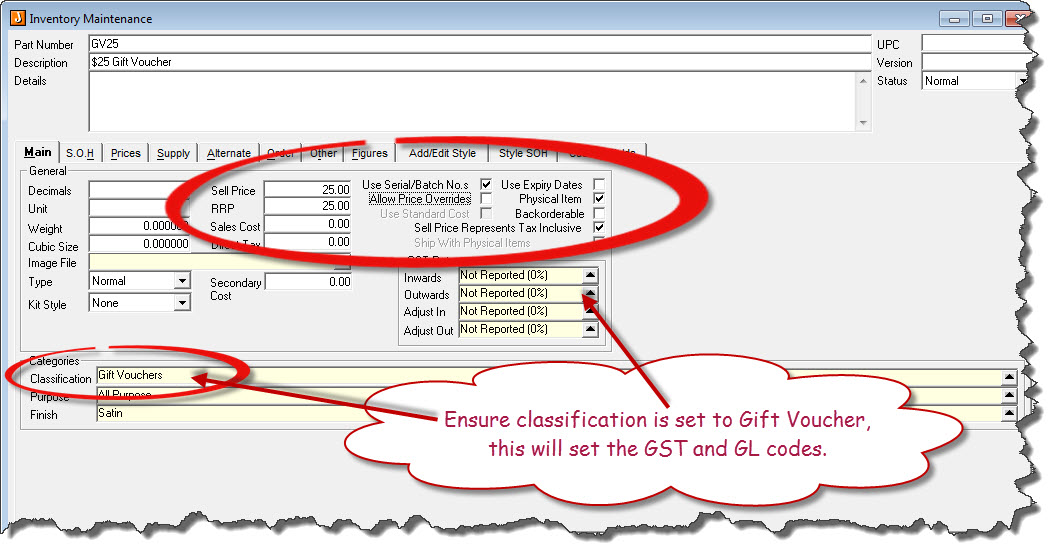
When creating your voucher inventory items ensure that you
-
Set item to Use Serial/Batch No's
-
Untick Allow Price Overrides
-
Item is set to Physical Item
-
Backorderable flag is unticked
-
Sell price represents tax inclusive it ticked
-
Sell price and RRP price are set to the value of the gift voucher
Repeat this process for each different value gift voucher eg. GV50, GV100 etc
Process Stock Transfer to Bring Vouchers into Jiwa
Process a stock transfer to bring in the vouchers you have to sell and their voucher numbers
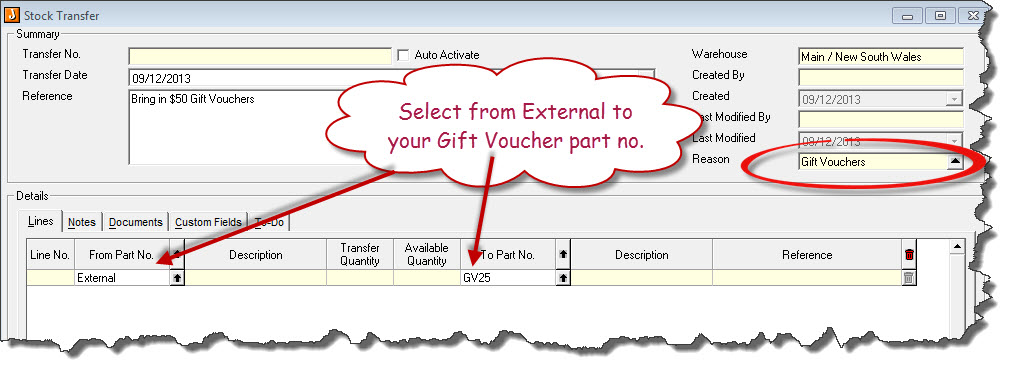
Start a new Stock Transfer
-
Set your reason code to Gift Vouchers
-
Select From Part No. External
-
Enter in the GV part number in the To Part No. field
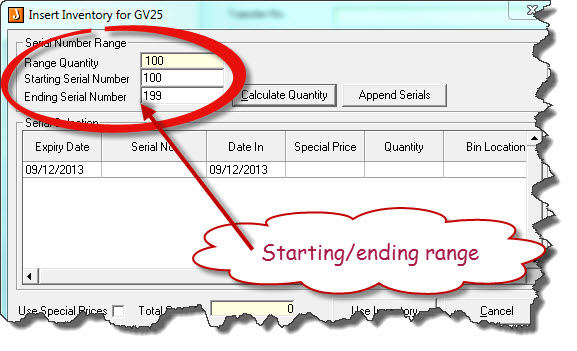
Once you have entered in your To Part No, the serial number screen will appear
-
Enter in the Starting and Ending serial number range
-
Select Calculate Quantity, Jiwa will calculate the number of gift vouchers that will be adjusted in
-
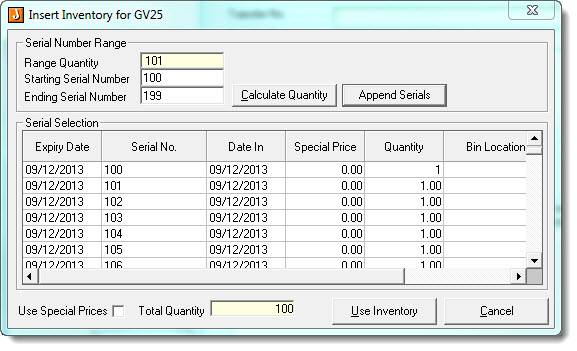
Select Append Serials button to load the serial numbers
-
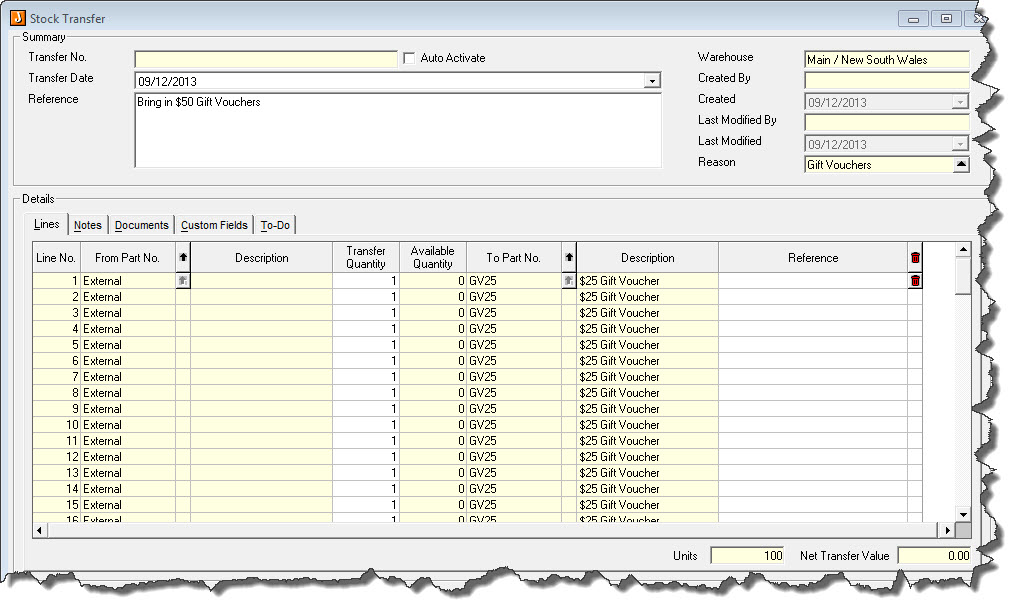
Select User Inventory button to load the items into the stock transfer screen
-
Save and activate the stock transfer to bring the items into inventory
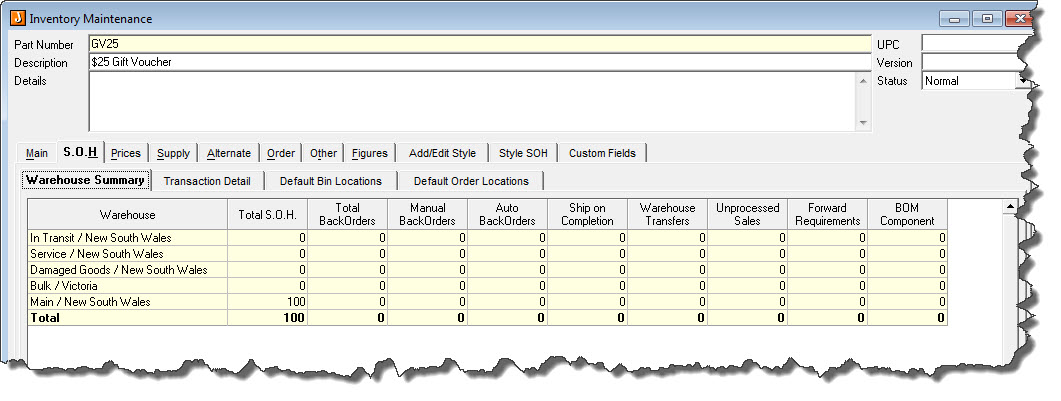
Once the stock transfer has been activated the vouchers will be available for sale.
For instructions on selling and redeeming gift vouchers through LinkPOS please refer to the article Jiwa Point of Sale – Selling and Redeeming Gift Vouchers