We’re currently updating our website to a new platform. We’re still operating as usual, but some pages may be under construction. Thank you for your patience.
Jiwa Training Centre

Draft - Reconciling Shift Report to Jiwa Financials

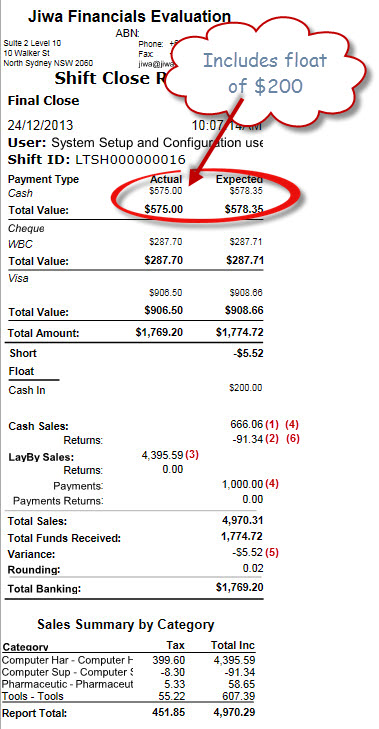
This article will demonstrate how you can reconcile your LinkPOS shift report to the transactions created in Jiwa Financials.

https://austlinkwebresources.s3.amazonaws.com/www.jiwatraining.com.au/articles/Jiwa-Point-of-Sale-Reconciling-Shift-Report-Jiwa-Financials/1.jpg


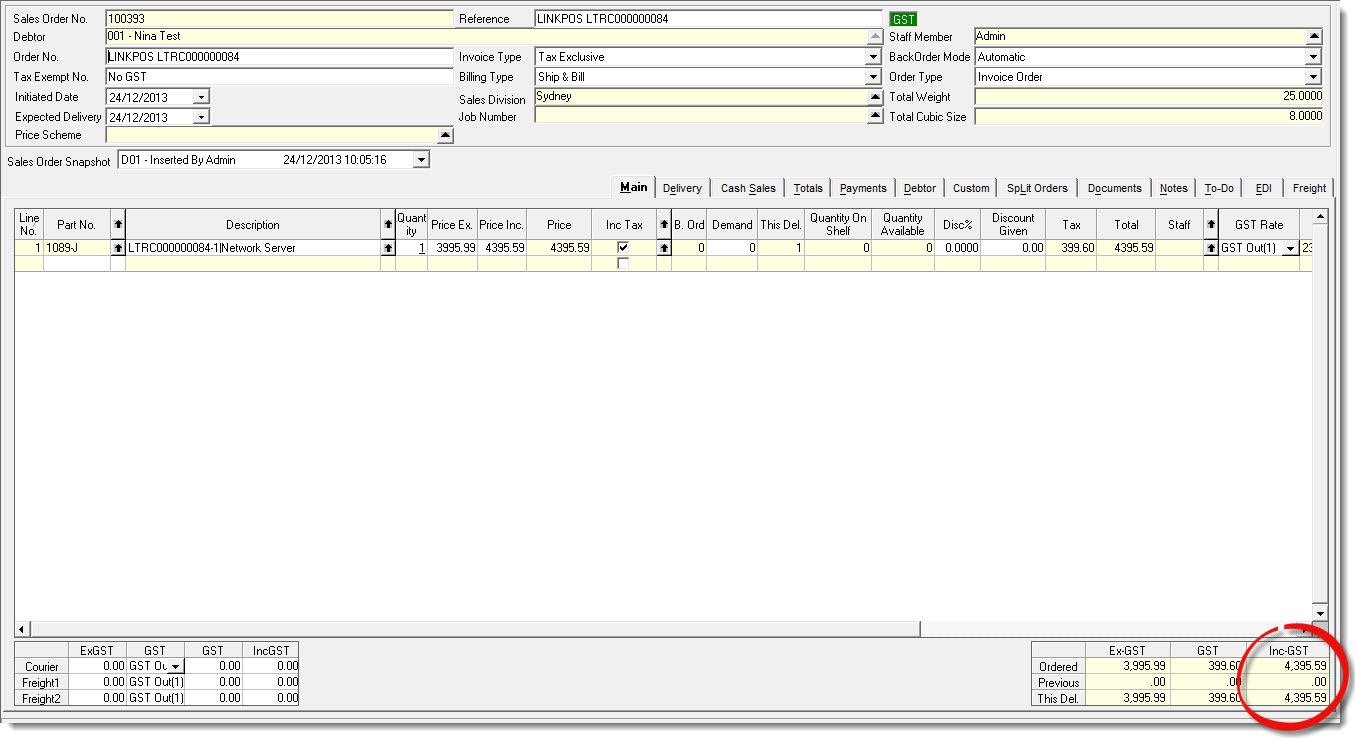
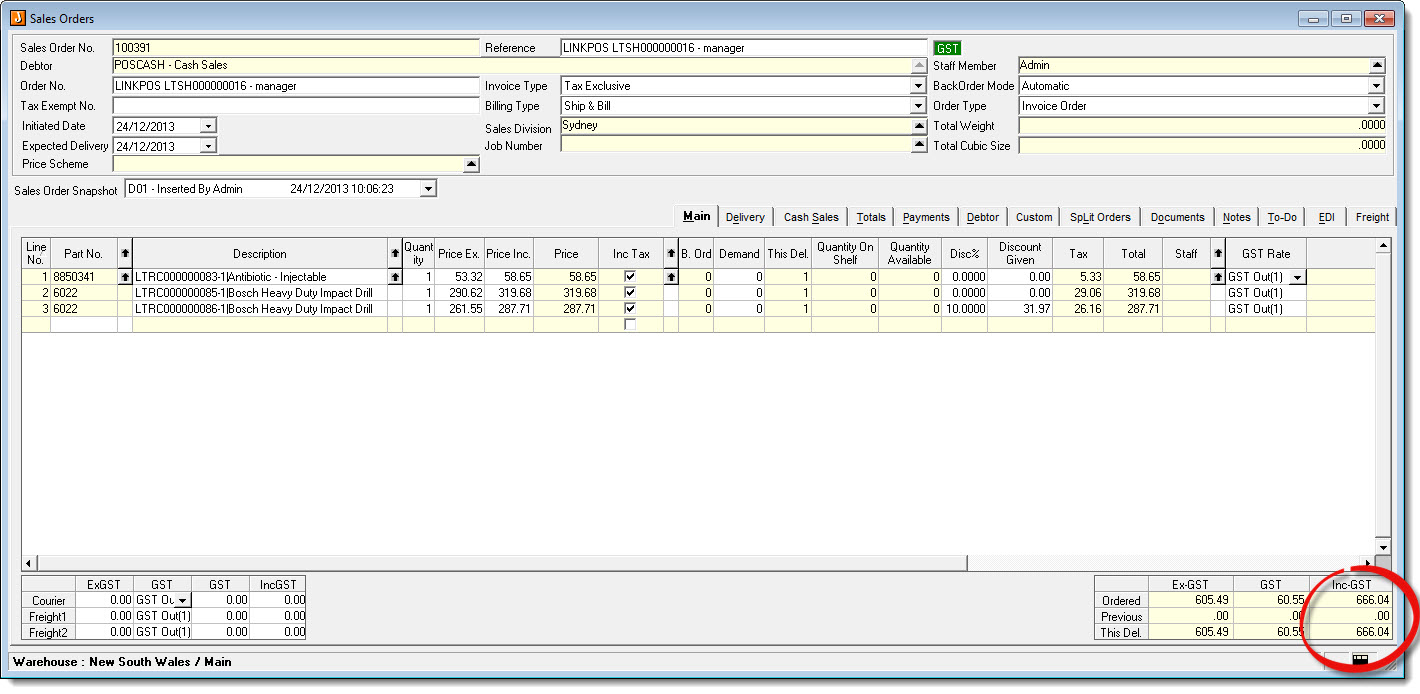
(1) Cash Sales will appear in Jiwa as an unprocessed sales order which you will need to manually process. One sales order is created per shift for cash sales.

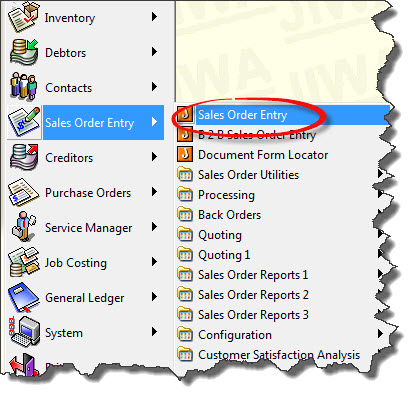
Go to Sales Order Entry > Sales Order Entry
https://austlinkwebresources.s3.amazonaws.com/www.jiwatraining.com.au/articles/Jiwa-Point-of-Sale-Reconciling-Shift-Report-Jiwa-Financials/2.jpg


https://austlinkwebresources.s3.amazonaws.com/www.jiwatraining.com.au/articles/Jiwa-Point-of-Sale-Reconciling-Shift-Report-Jiwa-Financials/3.jpg


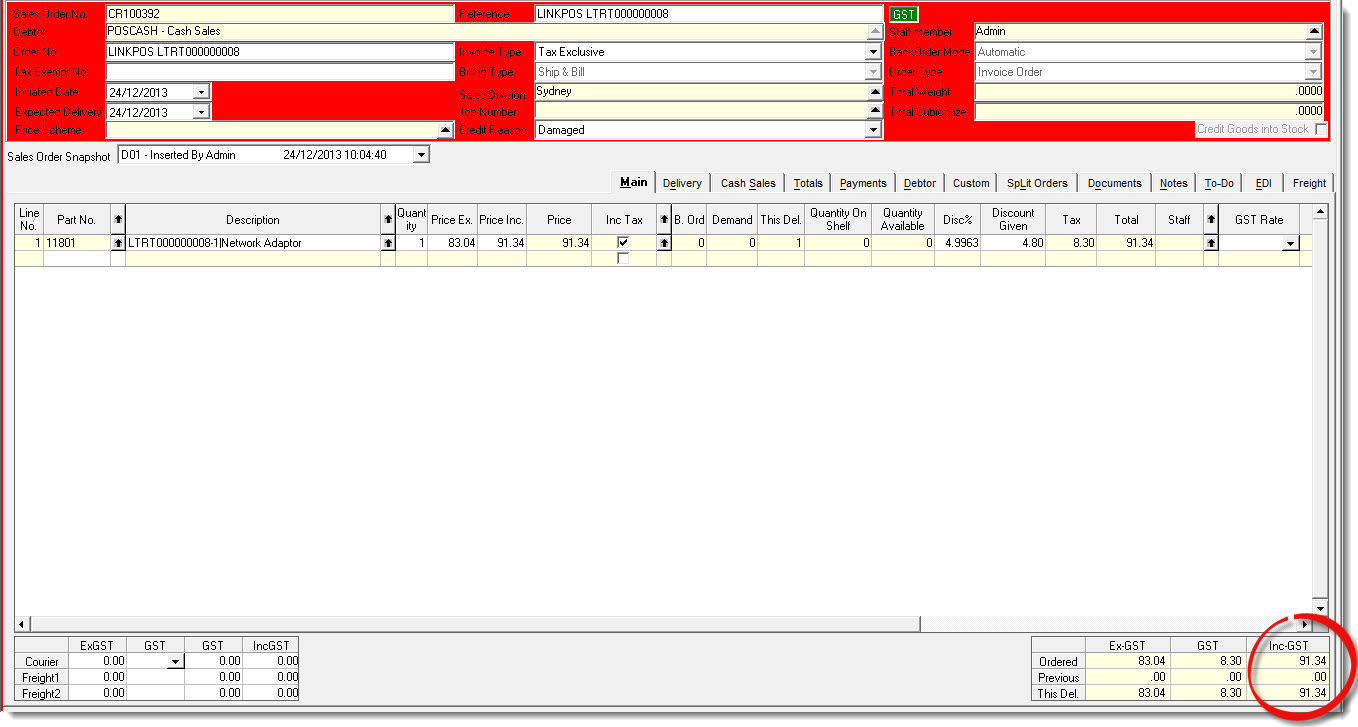
(2) Returns through POS will appear in Jiwa as an unprocessed negative sales order which you will need to manually process. One negative sales order is created per return these are not consolidated like cash sales.

Go to Sales Order Entry > Sales Order Entry
https://austlinkwebresources.s3.amazonaws.com/www.jiwatraining.com.au/articles/Jiwa-Point-of-Sale-Reconciling-Shift-Report-Jiwa-Financials/4.jpg


(3) Lay-bys will appear in Jiwa as an unprocessed sales order which you will need to manually process. One sales order is created per lay-by sale.

Go to Sales Order Entry > Sales Order Entry
https://austlinkwebresources.s3.amazonaws.com/www.jiwatraining.com.au/articles/Jiwa-Point-of-Sale-Reconciling-Shift-Report-Jiwa-Financials/5.jpg


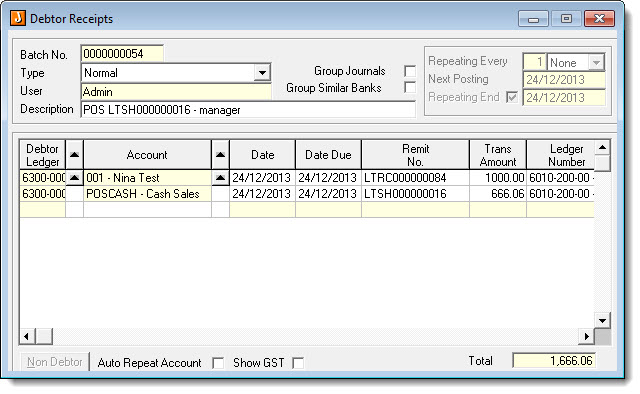
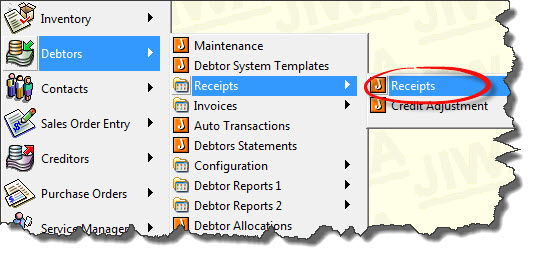
(4) POS payments appear as Debtor Receipts in Jiwa. All takings at present are consolidated by Debtor account. The debtor receipt must be manually activated.

Go to Debtors > Receipts > Receipts
https://austlinkwebresources.s3.amazonaws.com/www.jiwatraining.com.au/articles/Jiwa-Point-of-Sale-Reconciling-Shift-Report-Jiwa-Financials/6.jpg
https://austlinkwebresources.s3.amazonaws.com/www.jiwatraining.com.au/articles/Jiwa-Point-of-Sale-Reconciling-Shift-Report-Jiwa-Financials/7.jpg

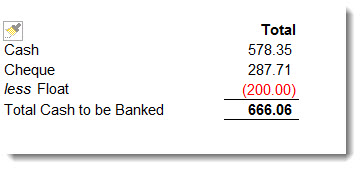
Cash takings can be reconciled as follows:
https://austlinkwebresources.s3.amazonaws.com/www.jiwatraining.com.au/articles/Jiwa-Point-of-Sale-Reconciling-Shift-Report-Jiwa-Financials/8.jpg


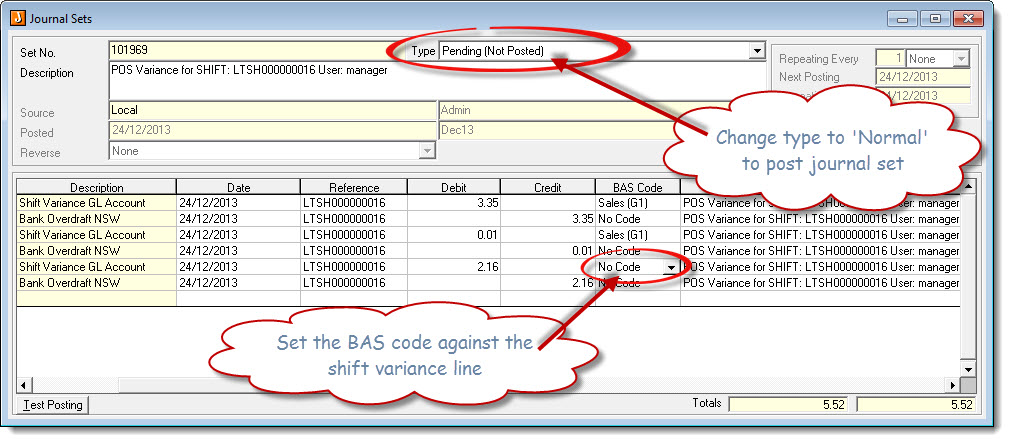
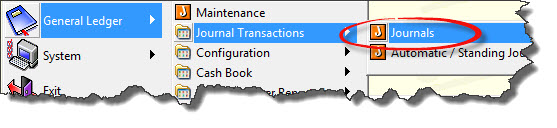
(5) A 'Pending' journal set is created in Jiwa for any Shift close variances, this journal set needs to be manually saved.

Go to General Ledger > Journal Transactions > Journals
https://austlinkwebresources.s3.amazonaws.com/www.jiwatraining.com.au/articles/Jiwa-Point-of-Sale-Reconciling-Shift-Report-Jiwa-Financials/9.jpg
https://austlinkwebresources.s3.amazonaws.com/www.jiwatraining.com.au/articles/Jiwa-Point-of-Sale-Reconciling-Shift-Report-Jiwa-Financials/10.jpg


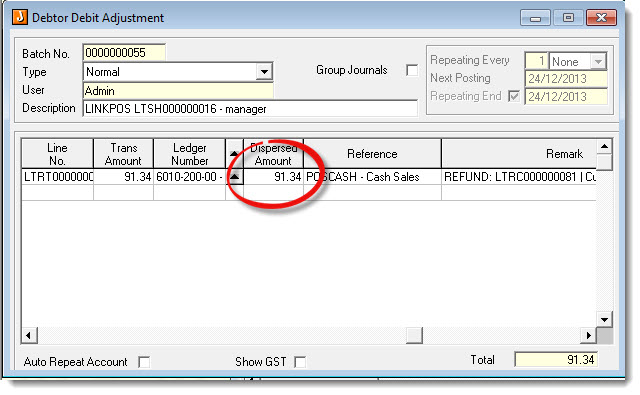
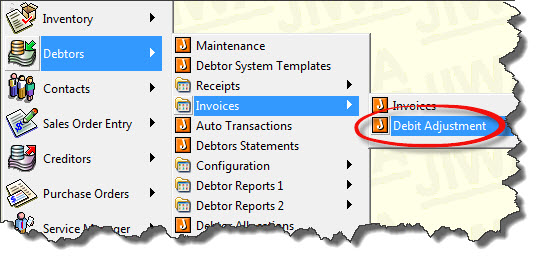
(6) POS Refunds appear as Debtor Debit Adjustments in Jiwa which need to be manually activated

Go to Debtors > Invoices > Debit Adjustment
https://austlinkwebresources.s3.amazonaws.com/www.jiwatraining.com.au/articles/Jiwa-Point-of-Sale-Reconciling-Shift-Report-Jiwa-Financials/11.jpg
https://austlinkwebresources.s3.amazonaws.com/www.jiwatraining.com.au/articles/Jiwa-Point-of-Sale-Reconciling-Shift-Report-Jiwa-Financials/12.jpg