
Jiwa Manufacturing - Production Areas
Source title: Jiwa Manufacturing - Production Areas
Status: draft
Author: nina@austlink.net
Original link: https://jiwatraining.com.au/?page_id=2018
In this article we look at production areas in the Jiwa 7 manufacturing module.
Production Areas Overview
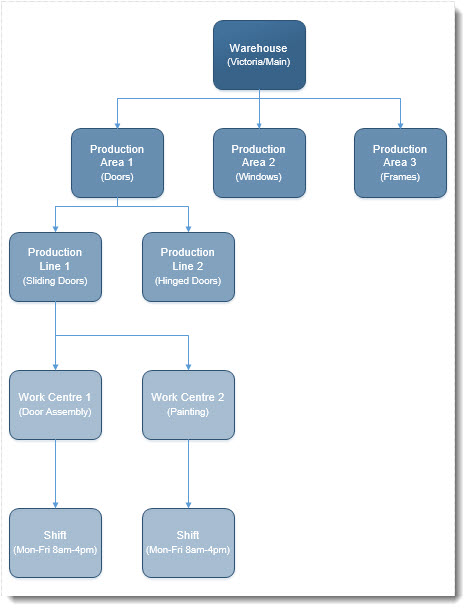
In Jiwa a production area is a designated area in your factory/warehouse where a product is manufactured.
Each production area is comprised of production lines that represent further divisions within the production area.
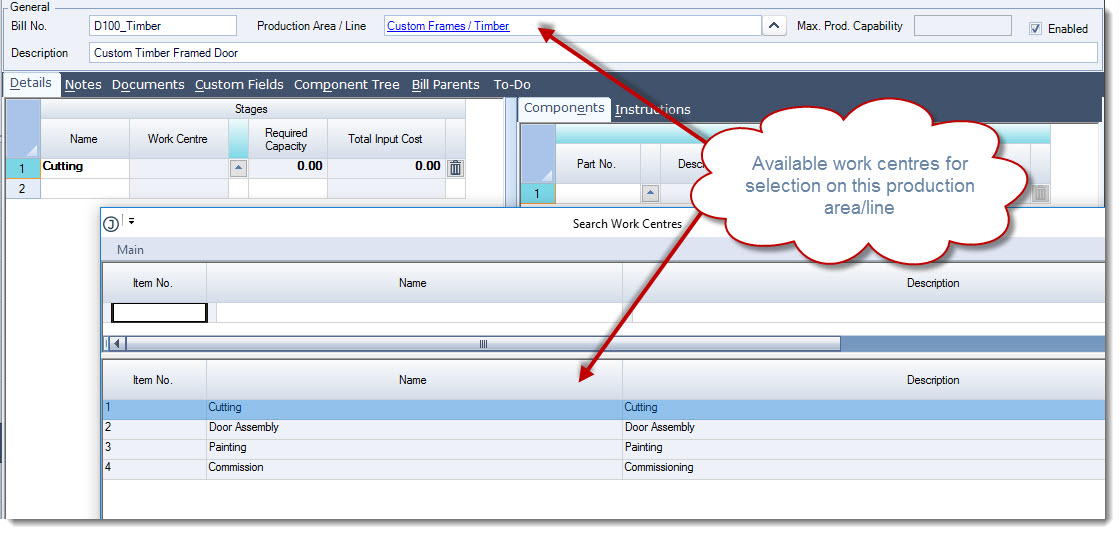
Each production line is then linked to one or more work centres that are applicable to that production line which are then available for selection on a stage in BOM's and Work Order.
Work centres are then linked to shifts that allow you to manage your work order scheduling the the Work Order Scheduling feature in Jiwa.
Before attempting to create production areas it is highly recommended that you first map out your requirements as this will assist in the Jiwa setup process.
The following example is an overview or map of how the production areas have been setup in the Jiwa demonstration database.
[MM_Member_Decision isMember='true']
Work Centres
We recommend setting up your work centres first as this will eliminate the need to go back and forth in the setup process.
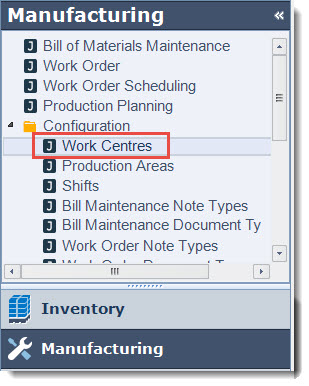
From the menu select Manufacturing | Configuration | Work Centres
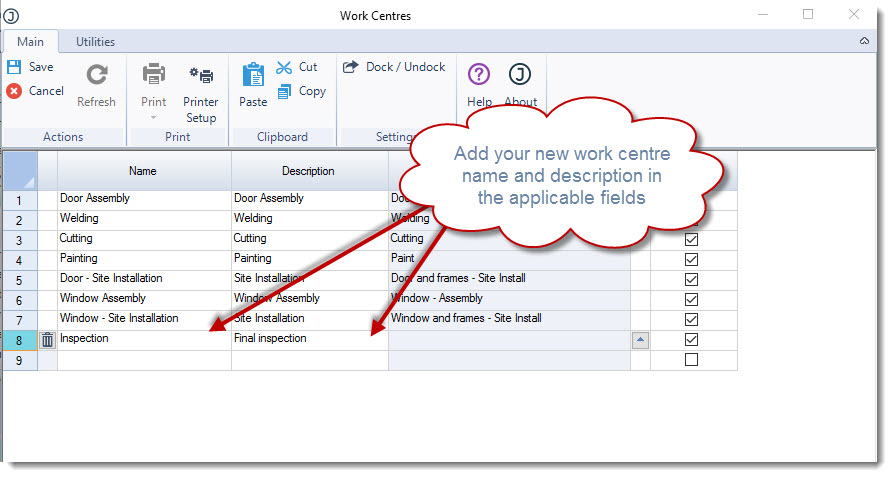
Enter in your work centre name in the Name field and a description in the Description field.
Select Save from the menu ribbon.
If you have staff skills setup under System Settings | Staff Configuration | Skills these can then be linked to a work centre however are not mandatory.
Production Areas
When you have created your work centres you are ready to create your production areas.
From the menu select Manufacturing | Configuration | Production Areas
From the menu ribbon select New to create a new area.
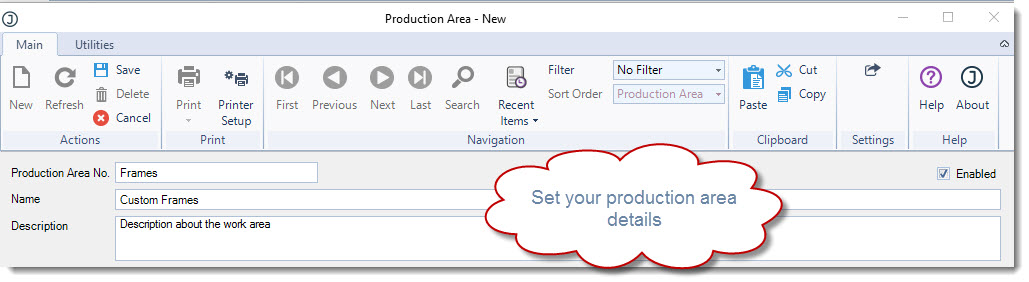
In the header section give your production area a number, name and description.
If the Production Area No. field is left blank Jiwa will automatically assign the next sequential number from System Numbers.
Adding Production Lines
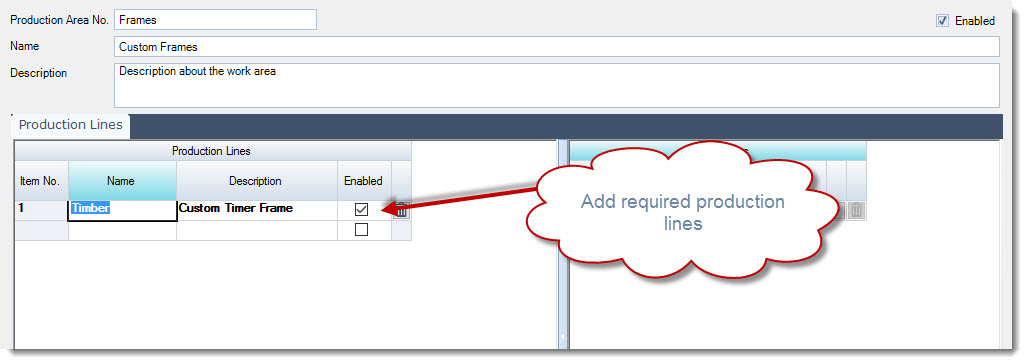
The production lines grid is divided into 2 sections;
-
Production Lines, and
-
Work Centres
In the Production Lines section add your first line
Adding Work Centres
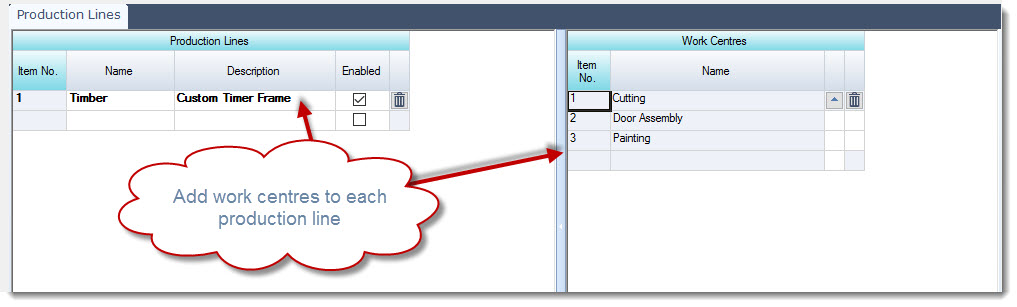
Work centres are production area/line specific so move to the Work Centres section and add the applicable work centres.
When creating a new Bill of Material or Work Order, only the work centres added here will be available for selection against a stage.
Click on the the lookup icon next to the work centre name field to bring up the work centre search form.
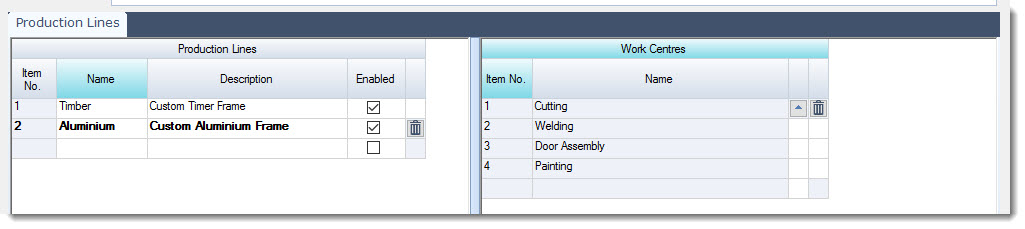
Repeat this process for each production line.
Warehouse Update
To utilise the Work Order Scheduling and Production Planning features in Jiwa both work centres and production areas need to be linked to your warehouse/factory.
From the menu select Inventory | Configuration | Warehouse Maintenance
Search for the required physical location and load into the form.
Production areas and work centres are logical warehouse specific, from the available logical warehouses select the required location.
On the Work Centres tab add the centres that are applicable to the logical warehouse.
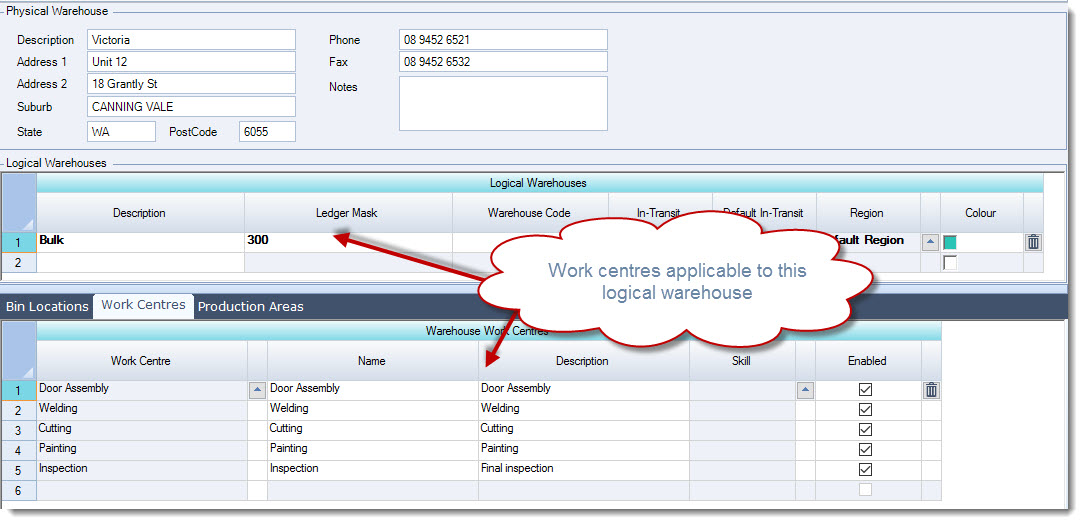
On the Production Areas tab add the production areas that are applicable to the logical warehouse.
NOTE: If you do not add all the required work centres to the logical warehouse when you attempt to add the production areas you may notice that the production line work centres will not be displayed.
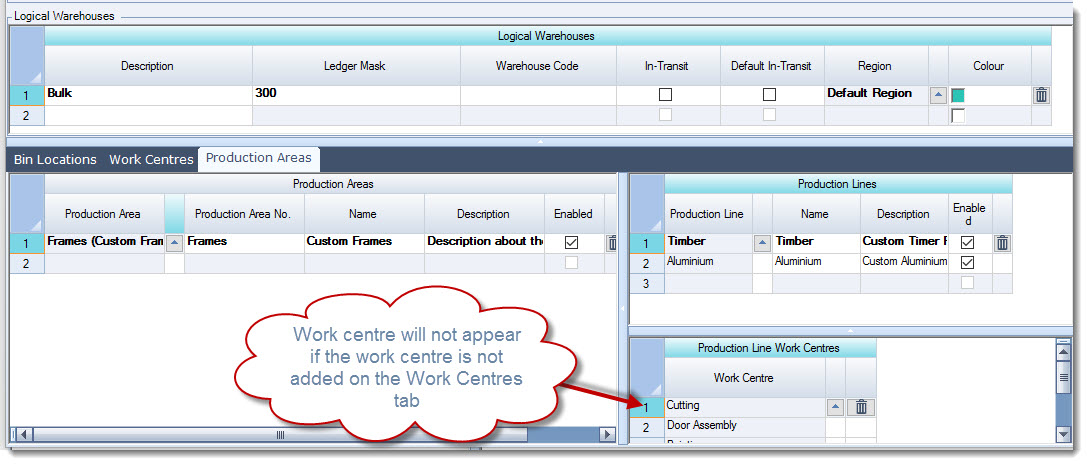
From the menu ribbon select Save to record your changes.
Shifts
Only when a work centre is added to a warehouse can it then be linked to a shift. If your cost centre is not available for selection on a shift check the Work Centre tab in Warehouse Maintenance to make sure that the cost centre is listed.
To create a shift from the menu select Manufacturing | Configuration | Shifts
From the menu ribbon select New
Give your new shift a name and description
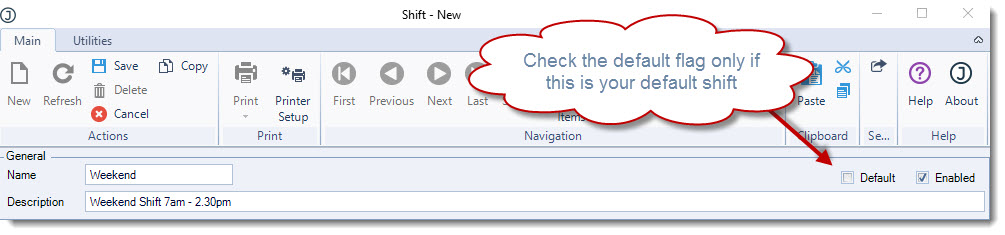
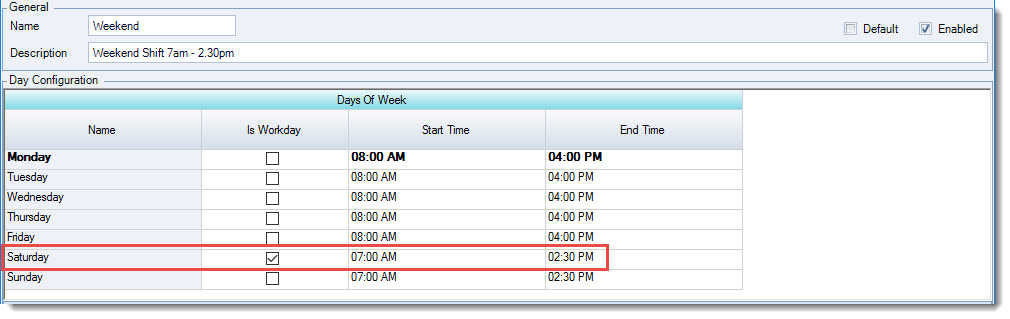
Set the shift days and start/end times
Working through each active day on the shift add your work centres and time capacities.
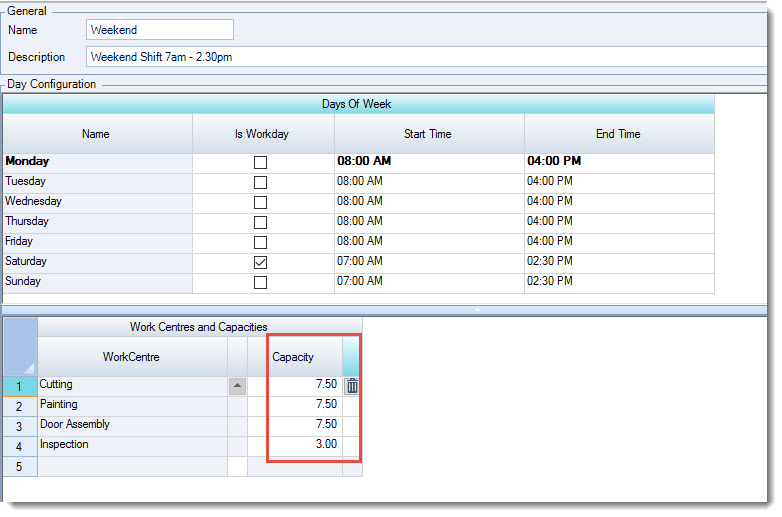
Save your changes.
BOM's and Work Orders
When creating your Bill of Materials or work orders the production area/line selected controls what work centres are available for selection on each Stage of the production process.
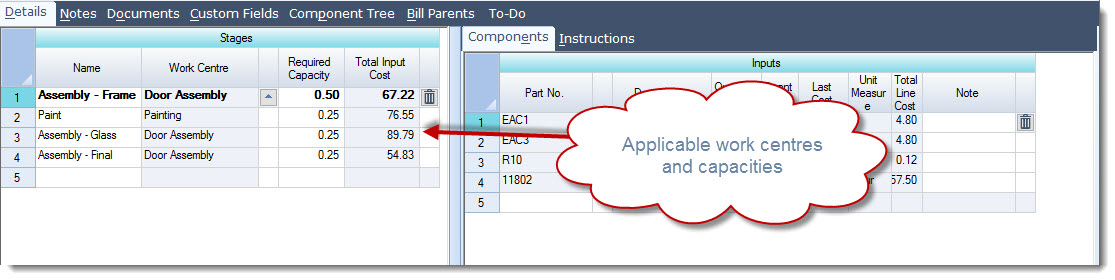
When a work centre is added to the stage you can then set the required capacity against each work centre.
When the required capacity is set on work orders then this information flows through to the Work Order Scheduling form.
[/MM_Member_Decision]
[MM_Member_Decision isMember='false']
[/MM_Member_Decision]