We’re currently updating our website to a new platform. We’re still operating as usual, but some pages may be under construction. Thank you for your patience.
Jiwa Training Centre

Draft - Processing Account Sales

Account Sales

Select the CREDIT button to indicate you want to process an account sale
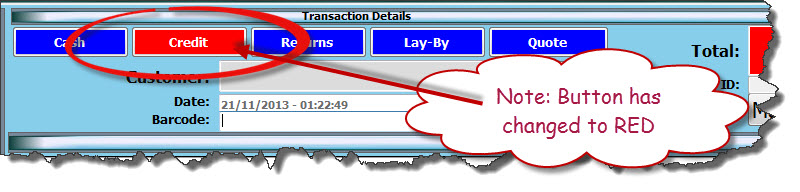
https://austlinkwebresources.s3.amazonaws.com/www.jiwatraining.com.au/articles/Jiwa-Point-of-Sale-Processing-Account-Sales/1.jpg

Press F4 to bring up the customer search screen

Enter in the customer name in the SEARCH field

Select the required customer
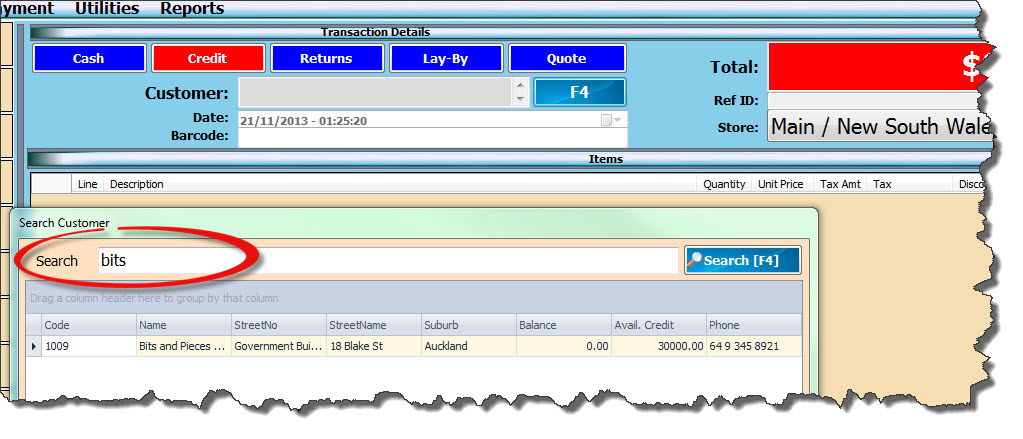
https://austlinkwebresources.s3.amazonaws.com/www.jiwatraining.com.au/articles/Jiwa-Point-of-Sale-Processing-Account-Sales/2.jpg


Enter in the items purchased


Press SAVE (F2) to salve the transaction

Select YES (F2) to complete the sale
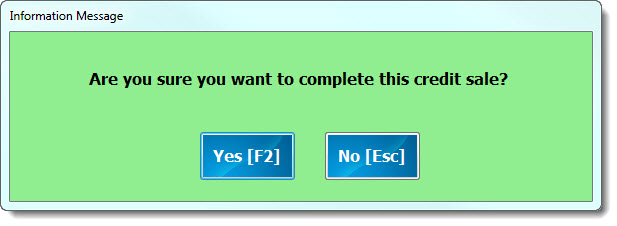
https://austlinkwebresources.s3.amazonaws.com/www.jiwatraining.com.au/articles/Jiwa-Point-of-Sale-Processing-Account-Sales/3.jpg


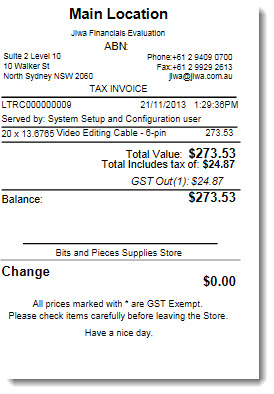
Customer invoice is generated

https://austlinkwebresources.s3.amazonaws.com/www.jiwatraining.com.au/articles/Jiwa-Point-of-Sale-Processing-Account-Sales/4.jpg