
Jiwa Manufacturing - Multiple Output Items
Source title: Jiwa Manufacturing - Multiple Output Items
Status: draft
Author: nina@austlink.net
Original link: https://jiwatraining.com.au/?page_id=1943
In this article we look at how to produce multiple output items on a single manufacturing work order in Jiwa 7. Before proceeding with this article we highly recommend that you have a basic understanding of the manufacturing module and you have reviewed the following articles.
Bill of Materials
Bill of Material's can be created with multiple output items. When creating your Bill ensure that you have allocated the correct cost allocation percentage against each output item. The Primary field is only for reference purposes indicating the main output item on the Bill
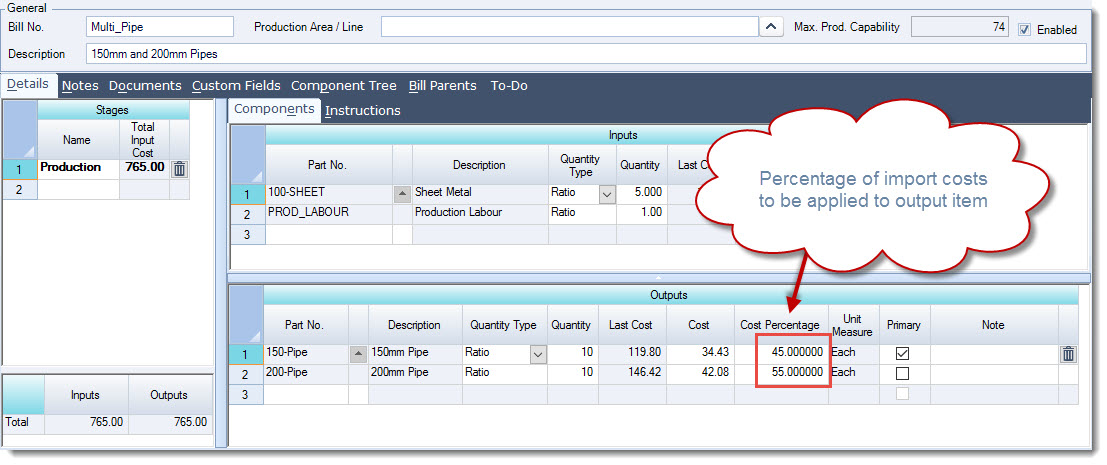
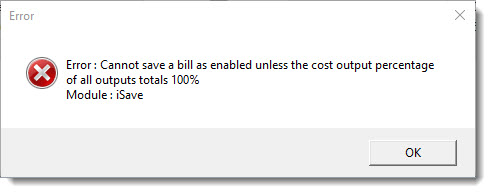
The total cost output percentage of all your output items must total 100%, if you attempt to save a bill where the total cost allocation does not equal 100% the following error message will be encountered.
[MM_Member_Decision isMember='true']
Work Orders
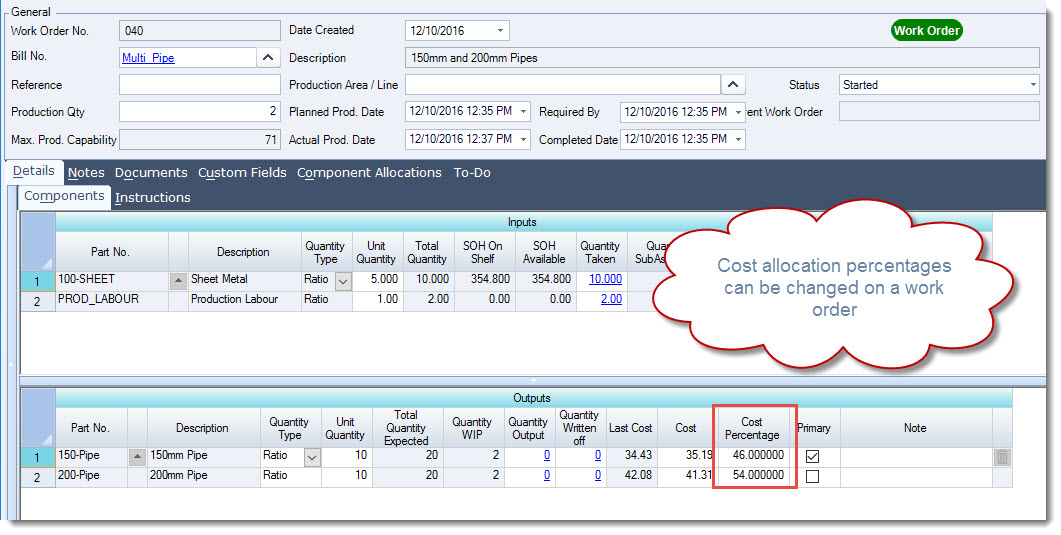
When you have created your work order the cost allocation percentage on the output items can be changed as required prior to the closing of the work order.
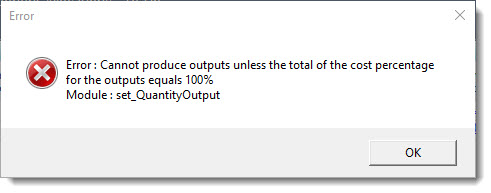
If your total output percentage does not add back to 100% when you attempt to close the work order the following error message will be encountered.
[/MM_Member_Decision] [MM_Member_Decision isMember='false'] [/MM_Member_Decision]