The intention of this article is to illustrate how the integration between LinkPOS and Jiwa Financials works.
It is important to note that with the exception of shift cash up variances all General Ledger postings are controlled by Jiwa via the classification assigned to the Debtor account and Inventory master records.
Cash Sales
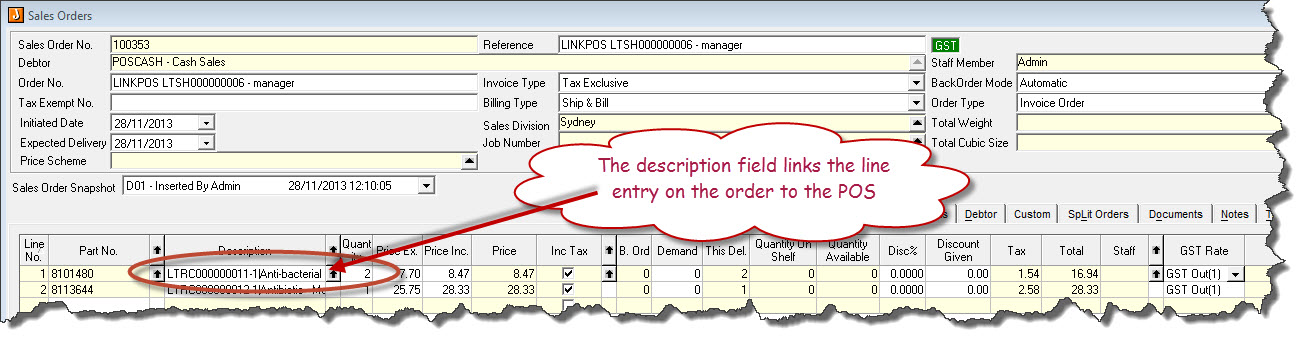
Each shift in POS will create a corresponding sales order in Jiwa against the POSCASH debtor. This order is added to as cash sales are processed during the course of the day for the respective.
If the sales order is processed in Jiwa whilst the current shift is open LinkPOS will create a new sales order.
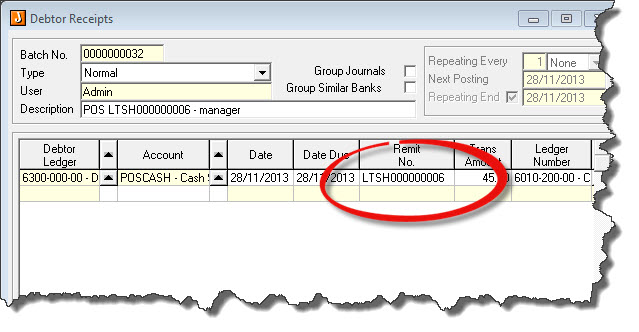
As with orders a corresponding receipt is created in Jiwa against the POSCASH debtor, the receipt must be activated before the Debtor account is updated and the receipt can be applied to the invoice.
If a receipt is activated in Jiwa whilst the current shift is open LinkPOS will create a new receipt.
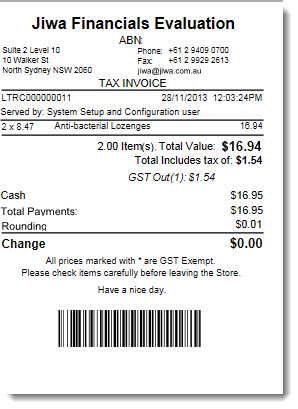
Cash sale generated in LinkPOS
Jiwa Financials
Sales Order
Sales order created in Jiwa Financials, at this stage stock on hand quantities have not been reduced.
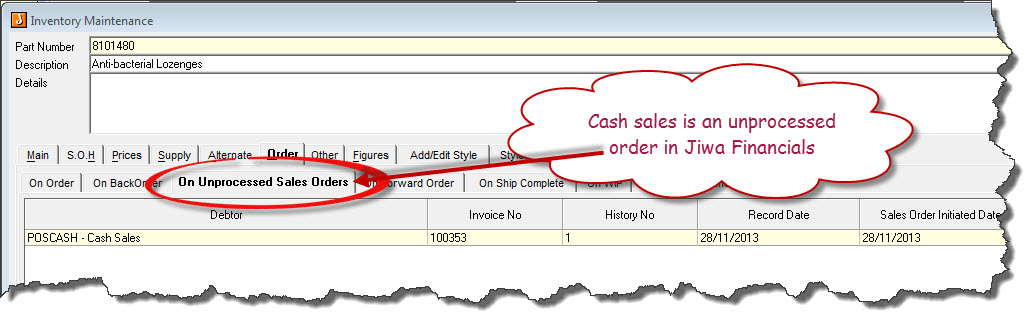
Inventory Maintenance record before sales order is processed.
POSCASH customer before sales order is processed
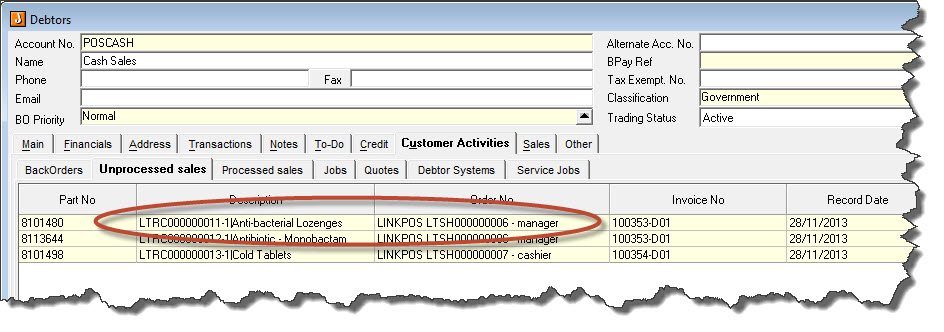
Debtor receipts to be processed
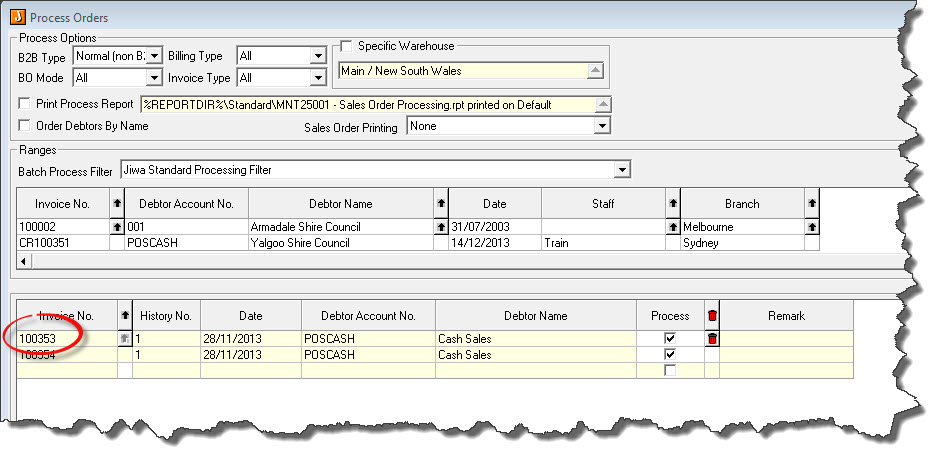
Processing Transactions in Jiwa
Orders are processed in Jiwa via 'Process Orders'
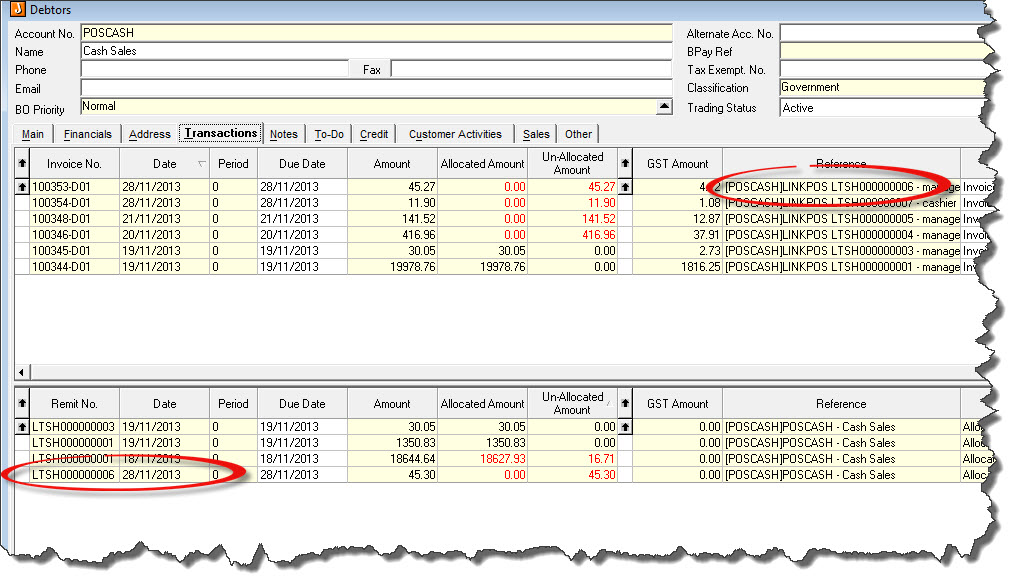
Invoice and payment appear in the Debtors account to be allocated. Automatic Allocation can be used to apply invoices to payments.
___________________________________________________________________________________________________________________________
Account Sales
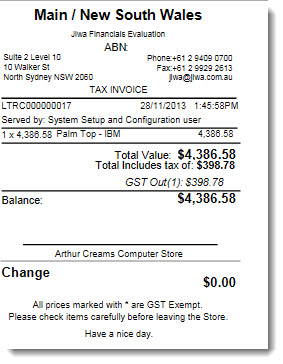
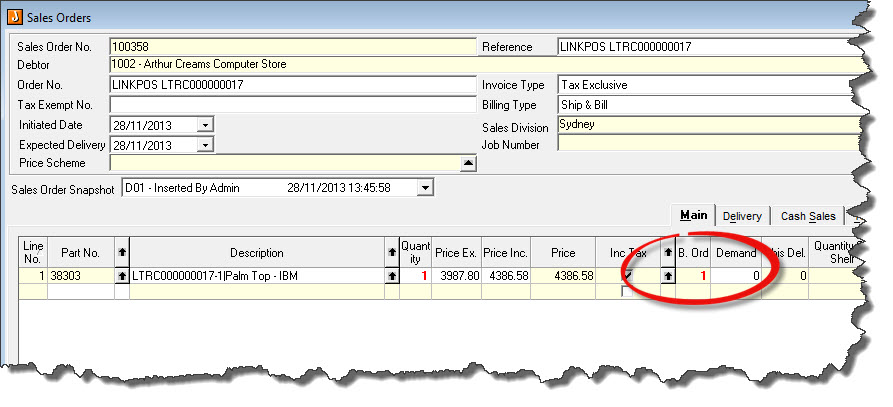
When a Credit Sales is processed in LinkPOS a sales a new order is created against the respective customer account for each credit sale processed.
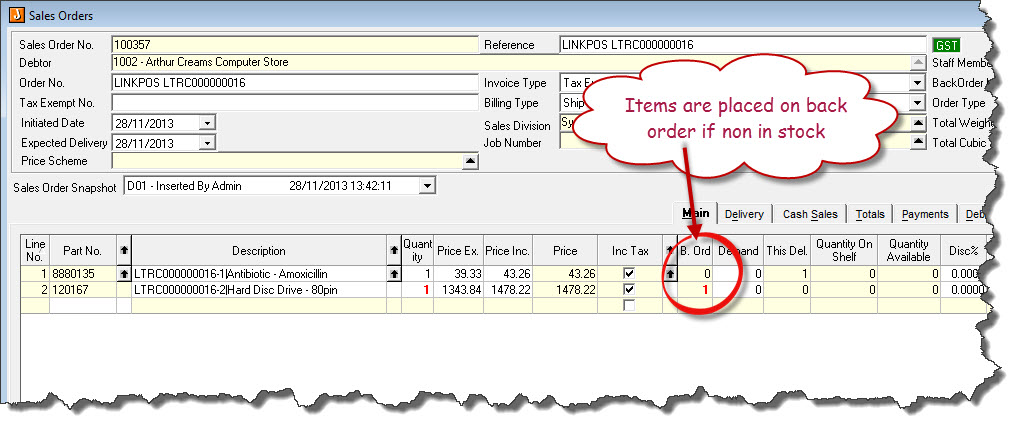
If stock is not available items will be flagged as on backorder
As with cash sales the order must be processed for it to appear as an invoice against the Debtor account
Jiwa Financials
Sales order is created in Jiwa for each credit sale, items not in stock are flagged as back ordered.
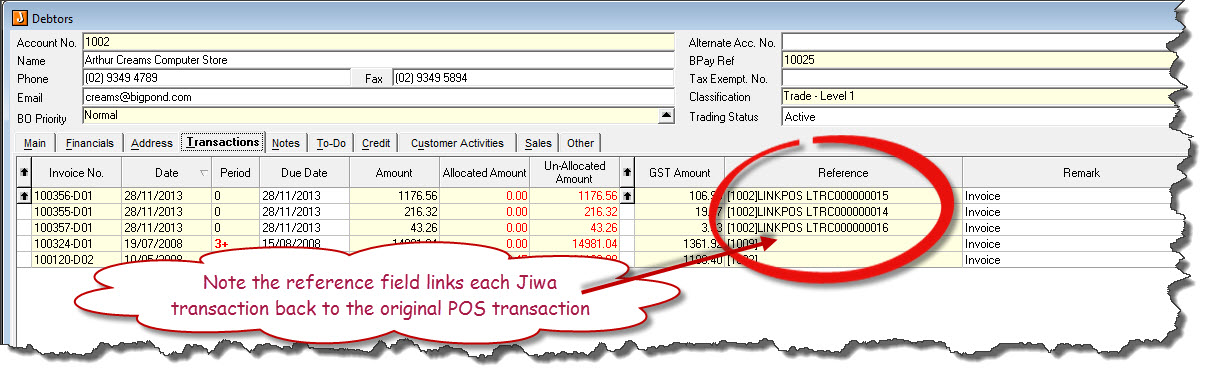
Once orders are processed in Jiwa transactions the Debtors account is updated
___________________________________________________________________________________________________________________________
Layby Sales
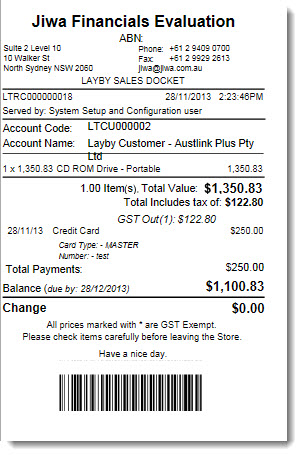
As with credit sales Layby sales will create a new order in Jiwa against the respective customer account for each Layby processed.
If stock is not available items will be flagged as on backorder
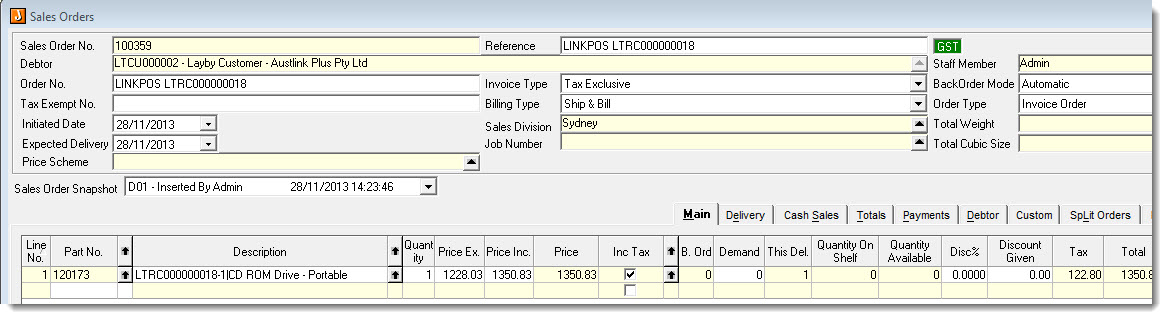
Jiwa Financials
Sales order is created in Jiwa for each Layby sale, items not in stock are flagged as back ordered.
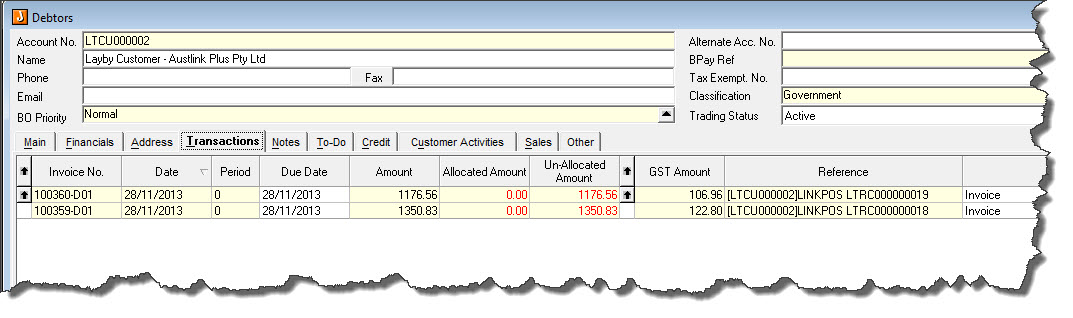
Once the order is processed in Jiwa the Layby will be converted to an invoice against the Layby customers account and there will be a decrease in your stock on hand.
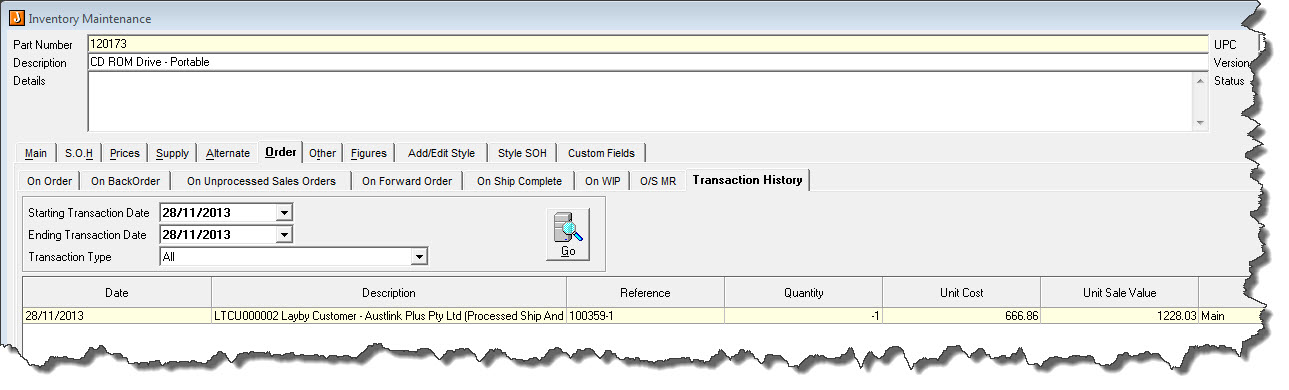
NOTE: When undertaking a stock take it is important to exclude all items on Layby from your stock-take.
___________________________________________________________________________________________________________________________
Returns
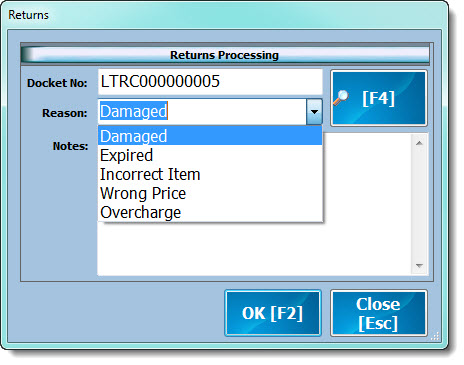
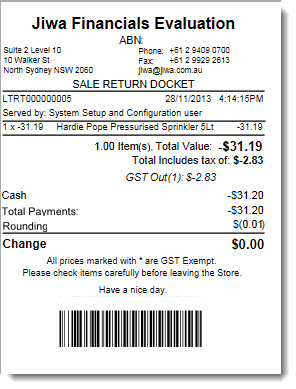
As with Cash, Credit and Layby sales a Credit Note sales order is created in Jiwa when a return in processed on LinkPOS.
As to whether the stock is written off or brought back into stock will be determined based on the 'REASON' selected when the return is processed in POS.
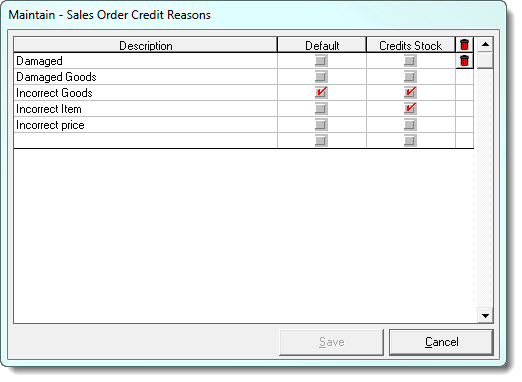
Credit reasons are maintained in Jiwa under Sales Order Entry / Configuration / Credit Reason Maintenance and are used by LinkPOS.
Jiwa Financials
Credit reasons are maintained in Jiwa under Sales Order Entry / Configuration / Credit Reason Maintenance and are used by LinkPOS.
A 'Credit Note' sales order is created in Jiwa for each return.
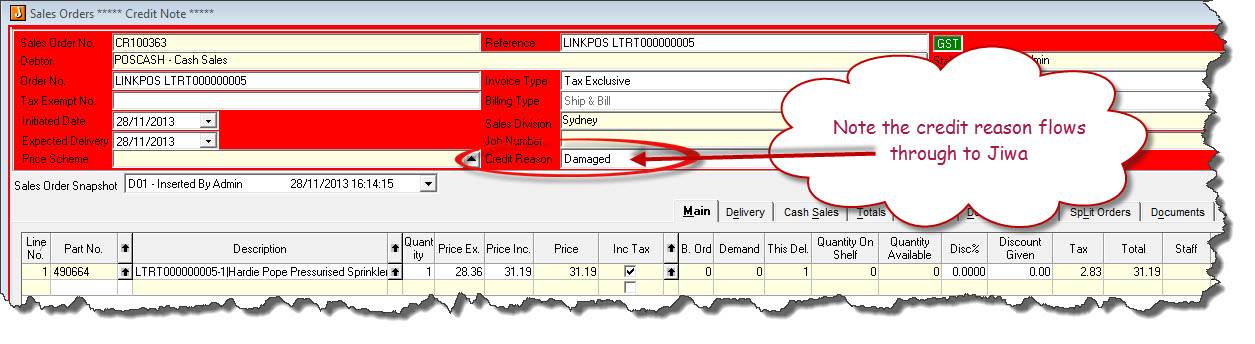
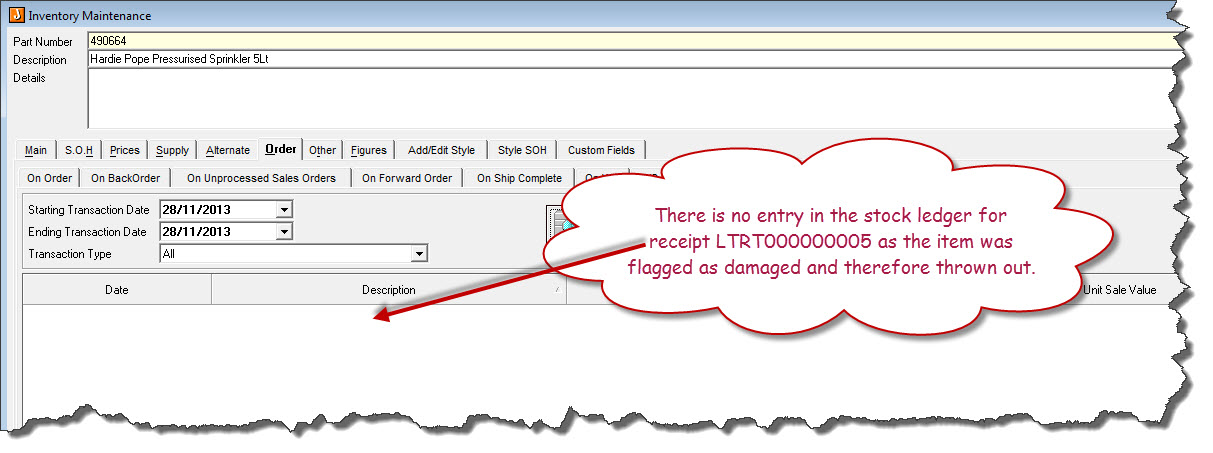
If the credit reason is set not to return stock to the stock ledger then there will be no updates to the stock ledger
___________________________________________________________________________________________________________________________
Shift Cash-up Variances
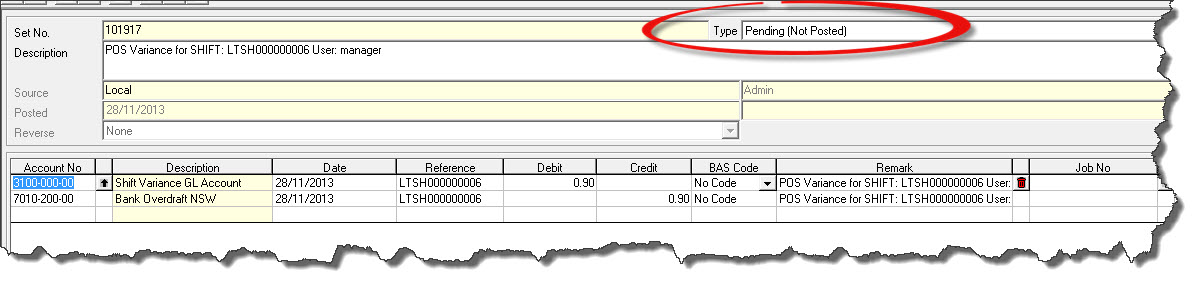
A journal is created by LinkPOS in Jiwa for any shift variances once the shift has been closed.
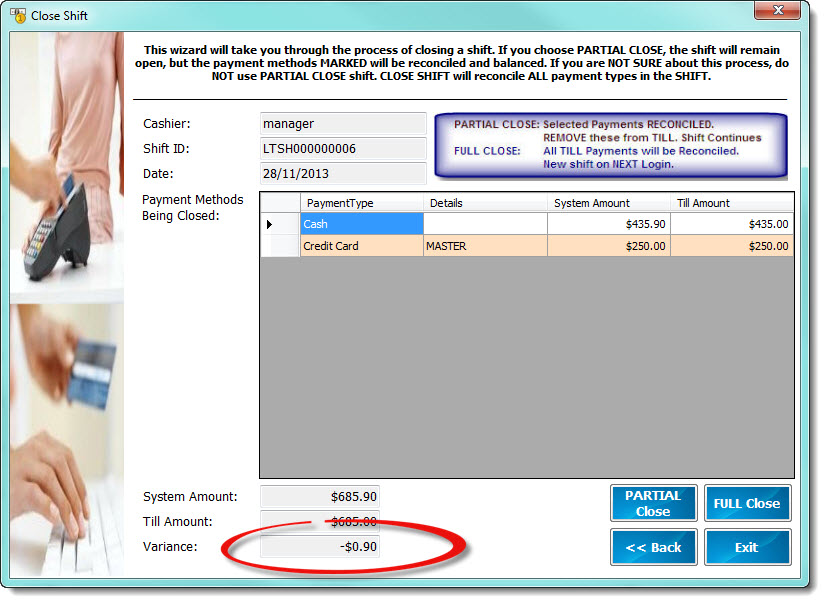
A pending journal entry is created in the General Ledger, the journal type needs to be changed to 'Normal' for the journal to be recorded.