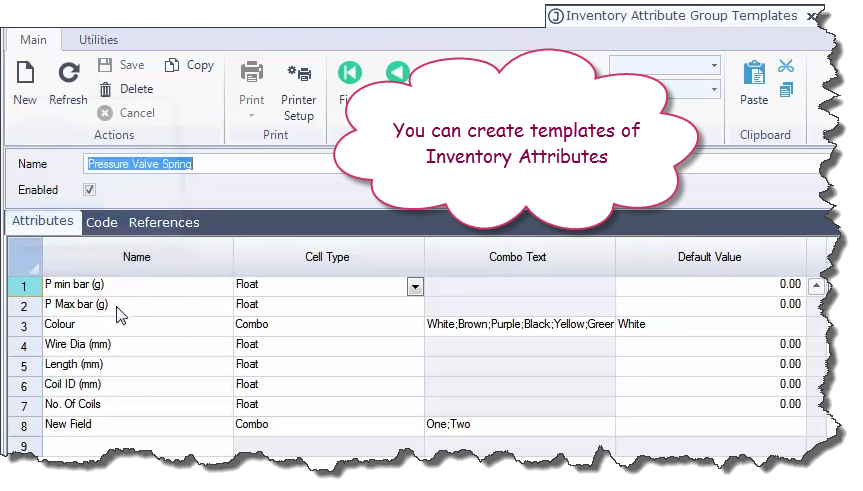
At the time of a Sales order you can select the item you want to interchange.
The example below is a pressure valve which can be sold at a different rated pressure. The pressure is defined by the spring that is used.
In this example there are three different springs which can be selected which when used with that valve impart a specific pressure range.
Note that each of the interchange parts have a range of attributes associated with it. In this case a pressure range and a colour.
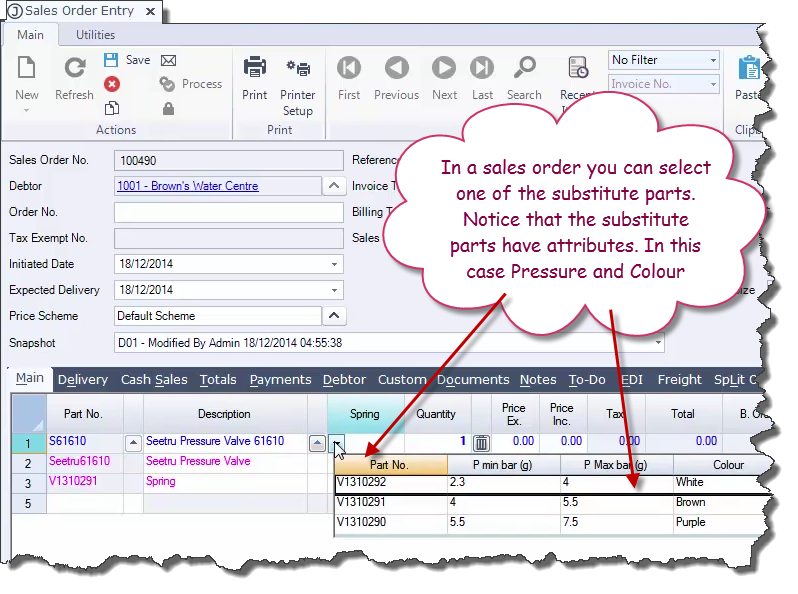
The attributes for a product are also defined in the Inventory Maintenance screen.
This example shows one of the springs and the attributes that it has been allocated. Each parts can have multiple sets of attributes. These attributes can be used for display/information purposes as well as for use on printed documents such as picking slips, invoices, quality control sheets, etc..
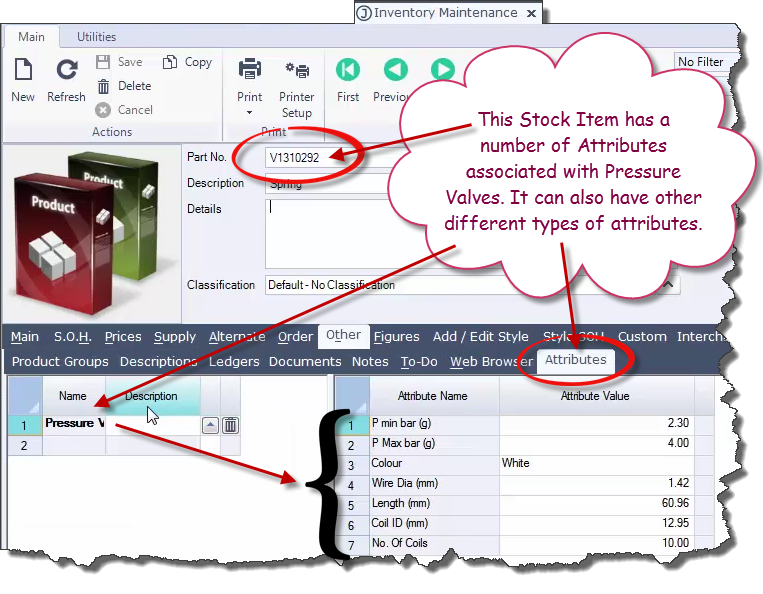
Finally Jiwa allows you to create templates of inventory attributes which can then be easily allocated against a product.